— amazon · Health
Blue Light Glasses for Computer Use: Buying Guide
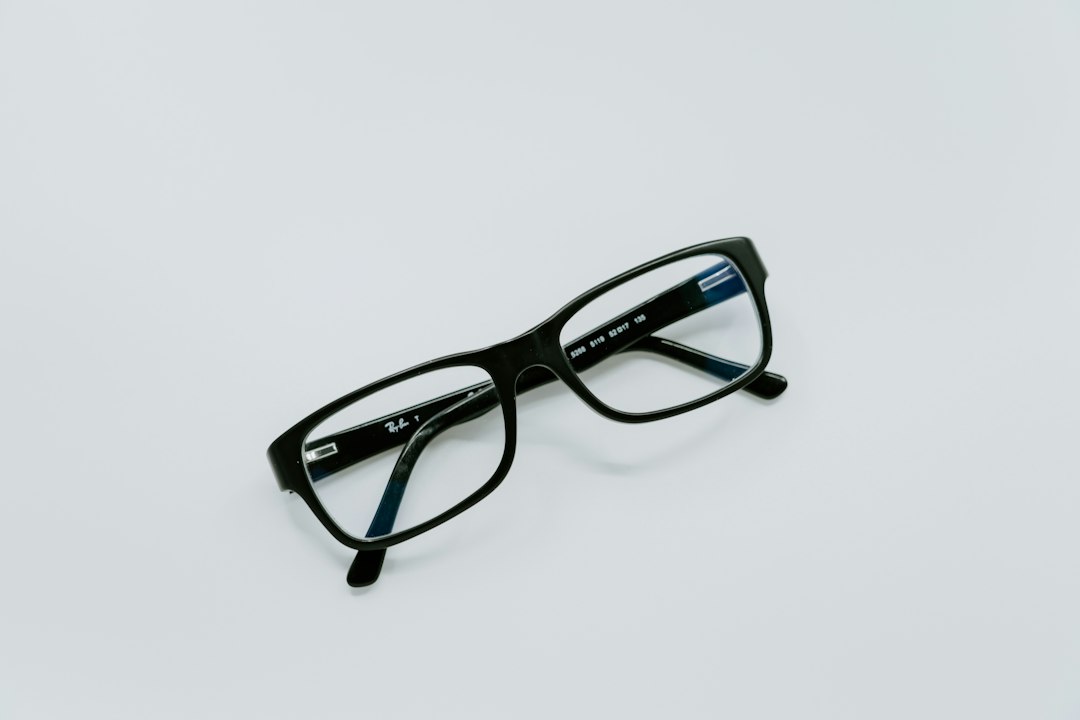
Find blue light glasses for computer work with lens, fit, coating, and evidence-based comfort tips for long screen days at home, school, or the office.
If you spend hours answering emails, studying online, gaming, or switching between spreadsheets, a pair of blue light glasses for computer use may seem like an easy upgrade. Screen time can leave your eyes feeling dry, tired, or unfocused, especially when you forget to blink or work in a poorly lit room. While blue light glasses are not a cure for eye disease, the right pair can make screen sessions feel more comfortable by reducing glare and creating a clearer viewing experience. The best computer glasses combine a practical lens design with a lightweight frame that you will actually wear every day. This guide explains what blue light filtering lenses can and cannot do, which features deserve your attention, and how to compare options on Amazon. You will also find fit tips, lens advice, and simple screen habits that support healthier, more comfortable workdays.
What Blue Light Glasses for Computer Use Actually Do
Blue light is part of the visible light spectrum and is emitted by digital displays, LED lighting, and sunlight. Blue light glasses use a filter or lens coating intended to reduce the amount of selected blue-violet light reaching your eyes. Many people choose them because screens can feel harsh during long work sessions, particularly in bright offices or dim rooms.
It is important to set realistic expectations. Current research does not clearly show that blue light blocking glasses prevent eye disease or reliably eliminate digital eye strain for everyone. Digital eye strain is often linked to reduced blinking, glare, close viewing distance, small text, dry air, and lengthy uninterrupted screen use. Still, some users prefer computer glasses because lenses with glare reduction can make screens feel more comfortable or less visually distracting.
Think of blue light glasses as one part of a screen-comfort routine rather than a medical treatment. If you have persistent pain, headaches, sudden vision changes, or ongoing dryness, contact an optometrist or other qualified eye-care professional. For everyday use, prioritize a comfortable frame, good lens clarity, and features that match your working environment.
Choose the Right Lens Tint, Filter, and Coating
The lens is the most important part of any pair of blue light glasses for computer work. Clear lenses usually have a subtle filter and preserve color accuracy, making them a sensible choice for office tasks, video calls, photo editing, and general browsing. They are also the easiest style to wear throughout the day without changing how your surroundings look.
Light yellow or amber lenses typically filter more blue light than clear lenses. Some people like their warmer appearance for evening gaming or late-night scrolling, but the tint can alter colors. Heavily orange lenses provide the strongest visible filtering effect, yet they are generally less practical for daytime work, driving, design work, or any task where accurate color perception matters.
Look for an anti-reflective coating in addition to a blue light filter. This coating can reduce reflections from overhead lights and the front surface of the lens, helping your eyes focus on the screen rather than visual distractions. Scratch-resistant coatings are useful for daily wear, while smudge-resistant treatments make frequent cleaning easier. Product listings should clearly state the lens material, tint, and coating details instead of relying only on broad marketing claims.
Fit and Frame Features That Matter During Long Screen Days
A well-fitting pair of computer glasses is more valuable than an overly filtered pair that pinches your nose or slides down constantly. Start with frame width. The frame should sit comfortably across your face without pressing at the temples, while the lenses should cover your natural line of sight when you look at a monitor. Medium and large lenses can be helpful if you use multiple screens or tend to look around your workspace.
Pay attention to weight. Lightweight acetate, TR90 plastic, and thin metal frames can be comfortable for long periods, although each material feels different. Adjustable nose pads are useful for people with narrow bridges or for anyone who struggles with glasses sliding during the day. Spring hinges can add flexibility, especially if you frequently put glasses on and take them off.
If you already wear prescription eyewear, ask your eye-care professional about prescription blue light filtering lenses or consider an oversized fit-over style. Avoid wearing non-prescription lenses over prescription glasses unless the design is specifically made for that purpose. For the best experience, check the listed lens width, bridge width, temple length, and customer reviews before ordering. A good fit supports consistent use and reduces the urge to constantly reposition your glasses.
How to Compare Computer Glasses on Amazon
Amazon offers a wide range of screen glasses, from budget multipacks to premium frames with detailed lens specifications. Before choosing, decide when and how you will wear them. A clear-lens pair is often the most versatile first purchase, while a warmer-tinted pair may suit a dedicated evening setup. If you need readers, select the correct magnification only after confirming your needs with an eye-care professional or a recent reading test.
When comparing listings, review the product images, measurement chart, lens description, return policy, and verified buyer feedback. Look for comments about frame comfort, lens clarity, reflection control, durability, and whether the actual tint matches the listing photos. Be cautious with promises that sound medical or guarantee dramatic sleep, headache, or vision results. Reliable listings explain what is included, such as a case, cleaning cloth, or warranty information.
It can also help to compare two or three styles side by side before you check the price. Consider a basic clear pair for work and a separate amber pair for personal evening screen time if that suits your routine. As an Amazon Associate, this site may earn from qualifying purchases, at no extra cost to you. Always use the current product page for final specifications and availability.
Use Better Screen Habits Alongside Blue Light Glasses
Even excellent blue light glasses cannot replace practical screen habits. Start by placing your monitor roughly an arm's length away, with the top of the display at or slightly below eye level. Increase text size instead of leaning forward, and adjust screen brightness so it is similar to the lighting around you. A screen that is much brighter than the room can feel uncomfortable, while a very dim screen may make you squint.
Try the 20-20-20 approach: every 20 minutes, look at something about 20 feet away for around 20 seconds. This brief reset encourages distance focusing and can remind you to blink. If your eyes feel dry, make a conscious effort to blink fully, use a humidifier in dry spaces, and discuss appropriate lubricating eye drops with a professional if needed.
Clean your lenses regularly with a microfiber cloth and lens-safe cleaner. Smudges and dust can increase glare, undermining the benefit of an anti-reflective coating. Finally, use device night settings when working late and create a consistent wind-down routine. Combining thoughtful lighting, regular breaks, and a comfortable pair of blue light glasses is a more balanced approach to everyday screen comfort.
FAQ
- Do blue light glasses for computer work reduce eye strain?
- They may improve comfort for some people, especially when glare reduction is part of the lens design, but they are not a guaranteed solution for digital eye strain. Screen-related discomfort also depends on blinking, viewing distance, room lighting, screen brightness, and the length of your work sessions.
- Are clear or amber computer glasses better?
- Clear lenses are usually better for all-day work because they preserve natural color perception. Amber lenses create a warmer view and may appeal to people using screens at night, but they can noticeably shift colors. Choose based on your tasks and when you plan to wear them.
- Can I wear blue light glasses if I need prescription lenses?
- Yes. Many optical providers offer prescription lenses with blue light filtering options. You can also find fit-over designs, but they should be specifically sized to fit over your existing eyewear. An eye-care professional can help you choose the most appropriate prescription solution.
- What should I look for before buying computer glasses on Amazon?
- Check the frame measurements, lens tint, lens material, anti-reflective coating, return policy, and recent verified reviews. Choose a frame shape and weight you can wear comfortably for several hours, then check the price and current listing details before purchasing.
Conclusion
The best blue light glasses for computer use are the pair that fits comfortably, keeps your view clear, and works with your actual screen routine. Start with clear lenses if you need accurate colors for work, school, or video calls, and consider a warmer tint only if you prefer it for dedicated evening use. Do not rely on glasses alone to solve persistent eye discomfort. Better monitor positioning, appropriate brightness, regular breaks, and frequent blinking all play an important role in reducing screen fatigue. When shopping, focus on useful specifications such as frame measurements, lens clarity, an anti-reflective coating, and a fair return policy rather than dramatic health promises. Compare current options, read recent reviews, and choose computer glasses that suit your face shape and daily tasks. Ready to improve your desk setup? Browse a few well-reviewed styles, check the price, and select a pair you will be happy to wear every day.
— Enjoyed this? Pass it on
— Want to build your own?
Publish articles like this in 90 seconds.
The whole terminal — AI writer, PA-API sync, refresh radar, auto-tweets — free for the first 3 articles.
Try for free