— amazon · Health
Blue Light Glasses Computer Guide for Screen Comfort
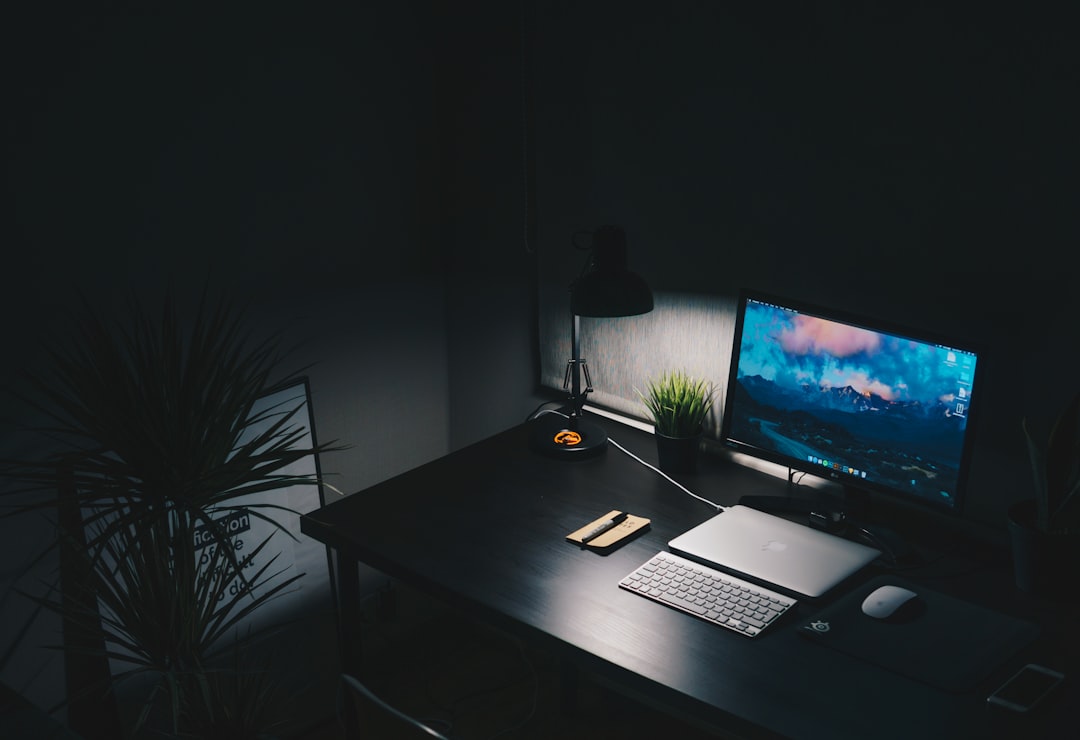
blue light glasses computer users can choose wisely with this guide to lenses, fit, comfort, and Amazon buying tips for healthier screen-time habits.
If your workday starts with email, moves through video calls, and ends with late-night scrolling, a blue light glasses computer setup may sound like an easy fix for tired eyes. These lenses have become popular with office workers, gamers, students, and anyone spending hours in front of digital devices. But choosing the right pair means looking beyond trendy frames and bold marketing claims. The best computer glasses should feel comfortable, provide clear vision, reduce distracting glare, and fit naturally into healthier screen habits. While blue light glasses are not a cure for eye problems or a replacement for professional eye care, they can be a practical accessory for people who want a more comfortable viewing experience. This guide explains what blue light filtering lenses do, how to compare Amazon options, and which features matter most before you buy.
Do Blue Light Glasses Help With Computer Use?
Digital eye discomfort is common, especially after long periods of focused screen work. Symptoms can include dry eyes, temporary blur, headaches, and a feeling of fatigue around the eyes. However, these symptoms are often connected to reduced blinking, close focusing, screen glare, poor posture, and long uninterrupted sessions—not blue light alone.
Blue light glasses use lens coatings or tinted filters intended to reduce a portion of high-energy visible blue light from screens and artificial lighting. Many people like them because the lenses can make a bright display feel less harsh, particularly in the evening or in rooms with overhead lighting. Still, research has not established that blue light blocking glasses consistently prevent digital eye strain for everyone. Results vary by person, lens design, and the rest of the workspace.
Think of blue light glasses as one optional comfort tool rather than a medical treatment. If you have persistent pain, significant vision changes, frequent headaches, or dry-eye symptoms, schedule an appointment with an optometrist or ophthalmologist. For ordinary screen fatigue, combine lenses with good lighting, regular breaks, an appropriate prescription when needed, and sensible display settings.
Affiliate disclosure: As an Amazon Associate, this site may earn from qualifying purchases. This does not change your price or influence the information in this guide.
What to Look for in Computer Glasses
The label on a pair of computer glasses can be confusing. Some lenses are clear and use a subtle filter, while others have a noticeable amber or yellow tint. Clear lenses are usually easier for daytime office work, video meetings, and accurate color-sensitive tasks. Amber lenses may provide a more obvious warm tint and can be more appealing for evening use, but they can alter how colors appear on a screen.
Start by checking whether the glasses are non-prescription, reading glasses, or prescription-compatible. Non-prescription lenses work for people who do not need vision correction. Reading glasses may help with close-up text if you already know your preferred magnification. If you wear prescription eyewear, look for an option available through your eye-care provider, or consider an oversized pair designed to fit over existing frames.
Anti-reflective coating is another useful feature. It can reduce reflections from lamps, windows, and your display, helping lenses look clearer on video calls. Scratch-resistant coatings are valuable for everyday carry, while UV protection is a separate feature that matters most outdoors. Do not assume every blue light filter includes every coating; read the product listing carefully.
- Lens clarity: Choose clear lenses for natural color rendering.
- Frame weight: Lightweight acetate, TR90, or metal frames can feel better over long sessions.
- Fit: Check temple length, bridge width, and total frame width.
- Return policy: Fit is personal, so flexible returns are especially helpful.
How to Compare Amazon Blue Light Glasses
Amazon offers a wide selection of screen glasses at different price points, from simple multipacks to premium-style frames. Rather than choosing solely by rating, read recent reviews for details about lens clarity, frame durability, hinge quality, and comfort after several hours. A high average rating is useful, but the written reviews often reveal whether a frame runs narrow, slides down the nose, or reflects heavily under office lights.
When you open an Amazon product page, examine the size chart before ordering. Frame width is especially important: narrow frames can pinch at the temples, while overly wide frames may slip. If you already own glasses that fit well, measure their front width and compare it with the listing. Also look at customer photos, which can give a more realistic sense of lens tint and scale than studio images.
Be careful with dramatic claims such as guaranteed headache relief, complete sleep improvement, or total protection from screen damage. Quality listings should explain the lens material, coating type, intended use, and frame dimensions without promising medical outcomes. A reputable pair may be worth paying more for if it has solid hinges, clear optical-quality lenses, and a return option.
For a practical shortlist, compare two or three styles with similar features. Then check the price, current availability, shipping details, and return terms. Prices and promotions on Amazon can change frequently, so verify the listing directly before making a purchase. For many shoppers, a comfortable mid-priced frame with reliable reviews is a smarter long-term choice than the cheapest option.
Use Your Glasses With Better Screen Habits
Even the best blue light filter cannot compensate for an uncomfortable workstation. Position your monitor roughly an arm's length away, with the top of the screen near or slightly below eye level. Increase text size until you can read it without leaning forward, and adjust brightness so the display is not dramatically brighter than the room around you.
Try the 20-20-20 habit: every 20 minutes, look at something about 20 feet away for 20 seconds. This simple pause gives your focusing system a break and reminds you to blink. If air conditioning or heating makes your eyes dry, consider changing your desk position, using a humidifier, or discussing suitable lubricating drops with an eye-care professional.
For evening computer use, reduce unnecessary brightness and consider enabling a warmer display mode. If you choose blue light blocking glasses for nighttime work, use them as part of a broader wind-down routine rather than expecting them to solve sleep problems on their own. Consistent sleep timing, lower room lighting, and less stimulating content before bed remain important.
Clean lenses regularly with a microfiber cloth and lens-safe cleaner. Smudges and dust scatter light, which can make viewing feel less comfortable. Keep your glasses in a case when traveling, and do not leave them on a hot car dashboard, where heat can affect frame shape and lens coatings.
Choosing the Right Pair for Your Routine
Your ideal blue light glasses computer pair depends on when and how you use screens. A remote employee may prioritize lightweight clear lenses that look natural on video calls. A gamer may prefer a wider frame, durable temples, and low-reflection lenses. A student may value an affordable, portable pair with a protective case. If you work with photography, design, or color-critical material, select a very clear lens and verify that it will not noticeably shift colors.
Comfort should be the deciding factor. Glasses that cause pressure behind the ears or on the bridge of the nose are unlikely to become a helpful daily habit. Look for spring hinges, adjustable nose pads, or flexible materials if fit has been an issue before. Keep packaging until you have tested the glasses during a normal work session.
Before buying, make a brief comparison list: lens tint, frame measurements, coating details, customer feedback, and returns. This approach makes shopping for best glasses for computer work less about marketing and more about your real needs. A well-fitting pair can be a convenient part of a more comfortable, screen-smart workspace.
FAQ
- Are blue light glasses worth it for computer work?
- They can be worth trying if you find bright screens or reflections uncomfortable and want a simple screen accessory. Their benefits are individual, and they should be paired with breaks, proper monitor placement, and suitable lighting. Choose a pair with clear lenses, a comfortable fit, and a straightforward return policy.
- Should I choose clear or yellow-tinted lenses?
- Clear lenses are generally the most versatile for daytime work, video calls, and tasks that require accurate colors. Yellow or amber lenses create a warmer view and may be preferred for evening use, but they can change color perception. Consider when you use screens most before choosing.
- Can computer glasses replace prescription glasses?
- No. Non-prescription computer glasses do not correct refractive errors such as nearsightedness, farsightedness, or astigmatism. If you need vision correction, ask an eye-care professional about prescription lenses with an anti-reflective or blue light filtering option that suits your work distance.
- What is the most important feature to check before buying?
- Fit is often the most important feature because uncomfortable frames are rarely worn consistently. Check frame width, bridge size, temple length, and customer comments about fit. After that, prioritize lens clarity, anti-reflective coating, durable hinges, and an easy return process.
Conclusion
A thoughtful blue light glasses computer purchase can support a more comfortable screen routine, but the frame alone is not the whole solution. Focus first on fit, lens clarity, anti-reflective coating, and a return policy that lets you test the glasses during real workdays. Clear lenses are a strong all-purpose choice, while warmer filters may suit some evening users. Most importantly, support your eyes with frequent distance breaks, regular blinking, sensible screen brightness, and an ergonomic monitor position. Review product dimensions and recent buyer feedback before you order, especially if you have a narrow or wide face. If you need prescription correction or have ongoing eye discomfort, seek personalized advice from an eye-care professional. Ready to compare styles? Browse comfortable computer glasses, review the specifications, and check the price on a pair that matches your daily screen habits.
— Enjoyed this? Pass it on
— Want to build your own?
Publish articles like this in 90 seconds.
The whole terminal — AI writer, PA-API sync, refresh radar, auto-tweets — free for the first 3 articles.
Try for free