— amazon · Health
Blue Light Glasses Computer Guide: Better Screen Comfort
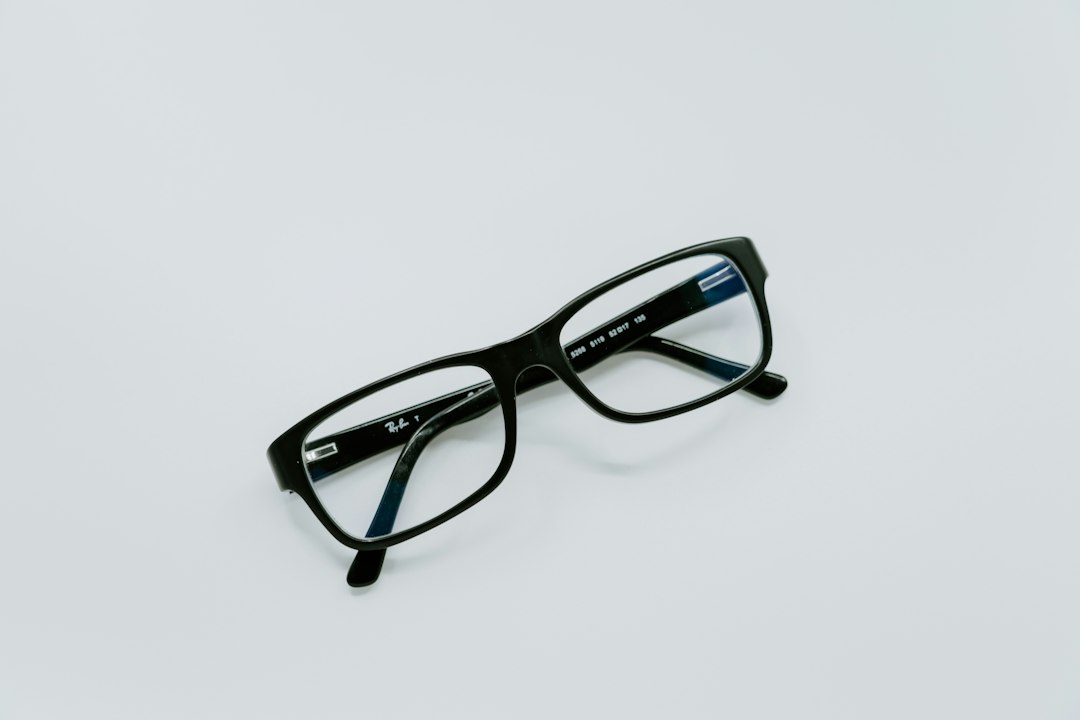
Find the best blue light glasses computer users can wear for comfort, glare control, and screen work, with buying tips and smart Amazon picks for every budget.
A long day at a computer can leave your eyes feeling dry, tired, or simply overworked. If you spend hours switching between spreadsheets, video calls, gaming, and late-night scrolling, blue light glasses computer users choose may be a practical addition to a healthier screen routine. These lenses are designed to filter a portion of blue-violet light and, in many models, reduce distracting reflections from displays and overhead lights. While glasses are not a cure-all for digital eye strain, the right pair can make screen viewing feel more comfortable for some people. This guide explains what blue light lenses can realistically do, which features matter most, and how to compare Amazon options without falling for exaggerated marketing claims. Whether you need clear lenses for office work or a tinted pair for evening use, you can choose with confidence.
What Blue Light Glasses Can and Cannot Do
Blue light is a visible part of the light spectrum emitted by sunlight, LED bulbs, televisions, and digital displays. blue light computer glasses usually use a clear or lightly tinted lens coating to filter some of this light. Many pairs also include an anti-reflective coating, which can reduce reflections bouncing between your screen, lenses, and room lighting.
It is important to keep expectations realistic. Research has not conclusively shown that blue light blocking glasses prevent eye disease or eliminate digital eye strain for everyone. Screen-related discomfort is often linked to reduced blinking, dry eyes, glare, poor posture, uncorrected vision, and long uninterrupted sessions. Still, some wearers find that screen glasses improve perceived comfort, especially when glare is a major problem or when they use bright screens late in the evening.
Think of blue light lenses as one tool rather than a complete solution. Combine them with regular breaks, suitable monitor brightness, comfortable room lighting, and an up-to-date eye exam. If you experience persistent pain, headaches, double vision, or sudden changes in sight, speak with an eye-care professional instead of relying only on glasses.
Key Features to Compare Before You Buy
When comparing blue light glasses computer shoppers should start with lens clarity. Clear lenses are generally best for daytime office work, design tasks, and video meetings because they cause minimal color shift. Stronger yellow or amber lenses may filter more blue light, but they can alter how colors appear. That makes them less suitable for color-sensitive work such as photo editing.
Next, look for an anti-reflective coating. This feature is often more noticeable during normal computer use than a heavy blue-light filter because it can limit reflections and improve lens appearance on camera. Scratch resistance is also useful if the glasses will travel in a backpack or desk drawer.
Frame fit matters just as much as lens technology. Check frame width, bridge size, temple length, and customer reviews that mention comfort. Lightweight acetate, TR90, and flexible plastic frames are popular for all-day wear. If you already wear prescription lenses, consider asking an optician about adding a blue-light-reducing and anti-reflective treatment to your prescription glasses rather than layering a non-prescription pair over them.
How to Choose the Right Pair for Your Screen Routine
Start with when and where you work. For daytime desk work, choose clear blue light computer glasses with an anti-reflective coating and a frame shape you will actually wear. A subtle filter is usually enough for people who mainly want reduced glare and a more comfortable viewing experience.
For evening gaming, streaming, or late laptop sessions, a lightly amber lens may be worth considering if you like the warmer screen appearance. Blue light exposure in the evening can influence circadian timing, so it is also smart to use your device's Night Shift, Night Light, or similar warm-color setting. No pair of glasses can replace a consistent bedtime routine.
Consider magnification only if you need it. Readers with a small power, such as +1.00 or +1.50, can help some adults focus on close text, but the wrong strength may create discomfort. If you squint, hold screens unusually close, or get frequent headaches, schedule an eye exam. For gaming or dual-monitor setups, wider frames can provide better peripheral coverage, while nose pads can help prevent slipping during long sessions.
Smart Amazon Shopping Tips for Blue Light Glasses
Amazon offers a wide range of blue light blocking glasses, from inexpensive multipacks to premium frames. Rather than choosing solely by a claimed filtration percentage, read the full product description and recent verified-purchase reviews. Look for details about lens tint, anti-glare treatment, frame measurements, included case, and return eligibility.
Pay close attention to review patterns. A few isolated complaints are normal, but repeated comments about loose hinges, distorted lenses, peeling coatings, or inaccurate sizing are useful warning signs. Product images can make frames appear smaller or larger than they are, so compare the listed measurements with a pair you already own.
Before purchasing, check the price, compare color and lens options, and confirm whether the listing is sold by Amazon or a third-party seller. As an Amazon Associate, this site may earn from qualifying purchases, at no extra cost to you. That relationship does not change the need to choose a pair based on fit, lens quality, and your personal screen habits.
Use Glasses Alongside Better Screen Habits
The most effective strategy for computer comfort is a complete setup. Follow the 20-20-20 rule: every 20 minutes, look at something about 20 feet away for 20 seconds. Blink deliberately when concentrating, and consider lubricating eye drops recommended by an eye-care professional if dryness is a recurring issue.
Position your monitor about an arm's length away, with the top of the display at or slightly below eye level. Match screen brightness to your room rather than using the brightest possible setting. Avoid placing a bright window or lamp directly behind your monitor, since reflected glare can make even excellent blue light computer glasses feel less effective.
Finally, give your eyes recovery time. Increase text size instead of leaning forward, use dark mode only if it feels comfortable, and take a short walk between tasks. These practical habits often deliver bigger improvements than any single accessory.
FAQ
- Do blue light glasses really help with computer eye strain?
- They may help some people feel more comfortable, particularly when glare and reflections are contributing to discomfort. However, evidence does not show that blue light glasses solve every case of digital eye strain. Taking breaks, blinking often, correcting your prescription, and adjusting screen brightness are equally important.
- Should I choose clear or yellow blue light lenses?
- Clear lenses are usually the best choice for daytime work, meetings, and color-sensitive tasks because they preserve natural color appearance. Yellow or amber lenses can create a warmer image and may be preferred for evening use, gaming, or streaming, but they can noticeably shift colors.
- Are blue light computer glasses safe to wear all day?
- Non-prescription blue light computer glasses are generally suitable for all-day wear when they fit properly and the lenses are optically clear. Stop using them if they cause headaches, distortion, or discomfort. If you need vision correction, use a proper prescription from an eye-care professional.
- What should I look for on an Amazon product page?
- Review frame dimensions, lens tint, anti-reflective coating details, recent customer feedback, return terms, and seller information. A protective case and spring hinges can add value, but fit and lens clarity should remain the priority. Always check the price against similar options before ordering.
Conclusion
Choosing blue light glasses computer users will enjoy comes down to comfort, clarity, and realistic expectations. A clear lens with a quality anti-reflective coating is a strong starting point for most daytime workers, while lightly tinted lenses may appeal to people who spend long evenings gaming or streaming. Do not let dramatic filtration claims distract you from the essentials: a frame that fits, lenses without distortion, a sensible return policy, and healthy screen habits. Use the 20-20-20 rule, reduce glare in your workspace, and make sure your vision prescription is current. When you are ready to shop, compare measurements, read recent reviews, and check the price on a pair that matches your routine. The right glasses can be a simple, wearable part of a more comfortable and sustainable computer setup.
— Enjoyed this? Pass it on
— Want to build your own?
Publish articles like this in 90 seconds.
The whole terminal — AI writer, PA-API sync, refresh radar, auto-tweets — free for the first 3 articles.
Try for free