— amazon · Consumer Electronics
Best Wireless Charging Pads: Top Picks for Every Device
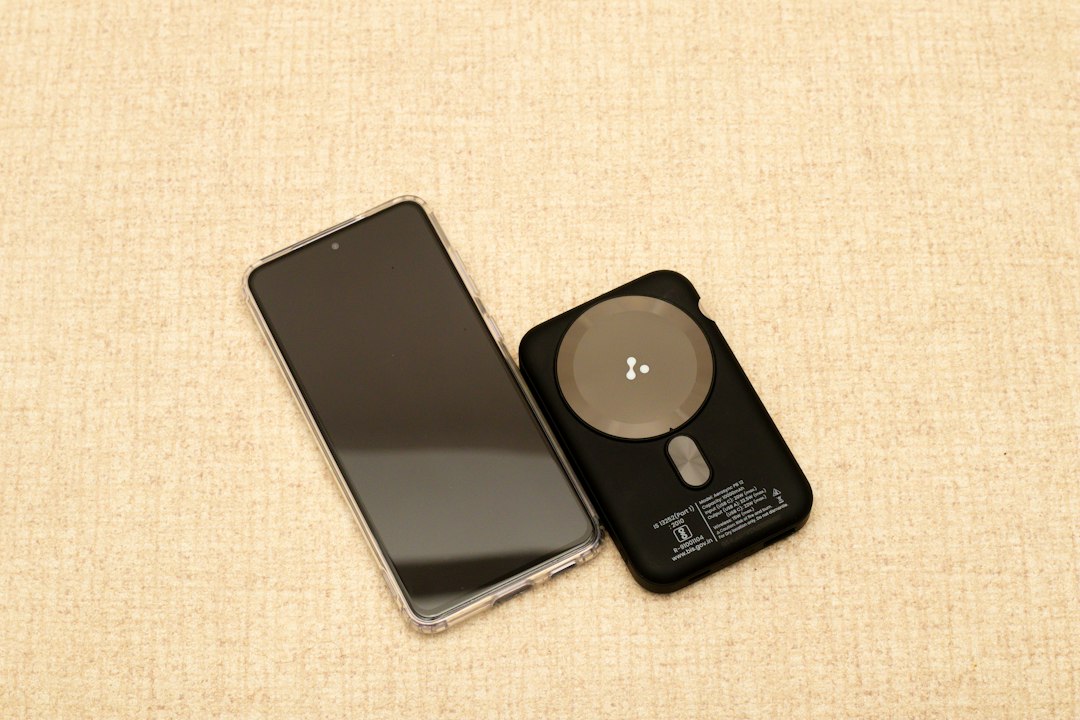
Find the best wireless charging pads for iPhone, Android, earbuds, and bedside use. Compare speed, safety, compatibility, and features before you buy today.
Wireless charging pads make powering up your phone, earbuds, or smartwatch easier: simply place a compatible device on the surface and let it charge without plugging in a cable. The best wireless charging pads combine reliable alignment, useful safety features, attractive design, and enough power for your specific device. However, choosing one is not always simple. Charging speeds vary widely, some pads require a powerful wall adapter, and magnetic models may be a better fit for newer iPhones. Whether you need an affordable Qi charging pad for a nightstand, a fast wireless charging option for your desk, or a premium model that keeps your phone securely aligned, this guide can help. We explain what matters most, compare popular Amazon-friendly options, and show how to choose a charger that works well with your everyday devices.
What to Look for in Wireless Charging Pads
Before buying wireless charging pads, start with compatibility. Most modern chargers use the Qi standard, which supports many iPhones, Samsung Galaxy phones, Google Pixel devices, wireless earbuds, and other compatible electronics. Newer Qi2 accessories add magnetic alignment for supported devices, helping reduce placement mistakes and making charging more consistent.
Next, examine the wattage. A basic 5W pad is suitable for overnight charging, while 10W, 15W, or higher-rated models can deliver faster wireless charging when paired with a compatible phone and wall adapter. Keep in mind that the pad's maximum rating is not necessarily the speed your phone will receive. Your phone model, charging protocol, case thickness, cable, and power adapter all affect real-world results.
Also look for foreign-object detection, temperature control, non-slip surfaces, and an LED indicator that is dim enough for nighttime use. If you use a thick, metal-backed, or wallet-style case, charging may fail entirely. Finally, check what is included. Many affordable pads include a USB cable but not the required wall adapter, so factor that extra purchase into your budget.
Best Budget Qi Charging Pad: Anker 313 Charger
The Anker 313 Charger is a practical choice for shoppers who want a simple, dependable Qi charging pad without paying for extra features they may never use. Its compact circular design fits easily on a bedside table, office desk, or kitchen counter, and it works with a broad range of Qi-enabled phones and earbuds.
This style of pad is especially useful for overnight charging. Place your phone down before bed, and the charger can replenish the battery gradually while you sleep. It is not designed to replace a wired charger when you need the fastest possible top-up before leaving home, but that tradeoff is common among budget wireless charging pads.
For best performance, use a quality USB power adapter that meets the manufacturer's recommended output. A weak adapter can cause slow charging or intermittent behavior. Check that your phone is centered on the pad and remove cases with metal plates or magnetic rings not designed for wireless charging. If you want an inexpensive, recognizable option for a spare room or everyday desk setup, the Anker 313 Charger is worth considering. You can check the price and confirm current bundle details on Amazon before ordering.
Best Premium Option: Belkin BoostCharge Pro
Users with a compatible magnetic iPhone may prefer the Belkin BoostCharge Pro, a premium option built around easier alignment and a more polished charging experience. Magnetic positioning helps place the charging coils correctly every time, which can be especially convenient when you pick up your phone frequently during the day or charge it in low light.
A MagSafe charging pad can be a strong choice for an iPhone desk setup because it holds the phone in a consistent location rather than relying on you to center it manually. That convenience matters more than many shoppers expect: poor alignment is one of the most common reasons a phone appears to be charging slowly or does not charge at all.
Premium models often cost more than standard Qi pads, so consider whether magnetic attachment is valuable for your routine. They are ideal for users who want a tidy setup, use a MagSafe-compatible case, and value dependable placement over the lowest price. Before purchasing the Belkin BoostCharge Pro, review the listing to verify the included cable, power requirements, and compatibility with your exact iPhone model. Product bundles and specifications can change, so it is smart to check the price and current details directly on Amazon.
Choosing the Right Charger for iPhone, Android, and Earbuds
The best wireless charger depends on the device you use most often. For iPhone owners, confirm whether your model supports standard Qi charging, MagSafe, or Qi2. Older iPhones can charge on many conventional pads, while newer magnetic-capable models benefit from accessories that improve alignment. If you use a case, choose one clearly labeled as wireless-charging compatible.
Android buyers should check the phone manufacturer's supported wireless charging wattage. Some Samsung, Google, OnePlus, and other Android phones can use faster proprietary or enhanced charging modes, but those speeds may require a specific charger and adapter. A standard Qi pad will often still work, although it may charge at a lower rate than a brand-specific stand or pad.
Wireless earbuds are usually less demanding. Cases for products such as AirPods and many Qi-enabled earbuds can charge on the same pad as a phone. Their smaller coil can be more sensitive to placement, though, so watch the status light the first few times you use a new charger.
If you charge multiple products daily, consider a dual-device pad or a charging station rather than cluttering your outlet with separate chargers. Just make sure each charging spot provides adequate power rather than sharing too little output across several devices.
How to Get Faster, Safer Wireless Charging
Wireless charging is inherently less efficient than using a cable, but a few habits can improve speed and reliability. First, connect your pad to the recommended wall adapter. A charger with a 15W label may not reach its intended output if it is connected to an old 5W USB adapter. Use a reputable USB-C adapter and cable where recommended by the manufacturer.
Second, keep the charging surface clean and your phone cool. Heat can cause phones to reduce charging speed to protect the battery. Avoid charging in direct sunlight, under blankets, or while running demanding games. Removing an unusually thick case may also help. Never place coins, keys, credit cards, or other metal objects between the phone and the pad.
Third, position the phone carefully. A charging icon does not always mean ideal alignment; if the device repeatedly starts and stops charging, reposition it or try a thinner case. Magnetic options make this easier, while conventional wireless charging pads require a little more attention.
For long-term battery care, wireless charging is generally safe when you use certified, well-reviewed products and avoid excessive heat. Choose a model with temperature protection and foreign-object detection, then replace damaged cables or adapters promptly. A quality charger is a small investment that can make daily charging more convenient and dependable.
FAQ
- Are wireless charging pads safe for phone batteries?
- Yes. Reputable wireless charging pads use safety features such as temperature monitoring and foreign-object detection. Phones also manage charging automatically to help protect their batteries. The main concern is excess heat, so use a compatible pad, avoid covering the phone while charging, and remove metal objects from the charging surface.
- Do wireless charging pads work through phone cases?
- Many do work through thin plastic, silicone, or wireless-charging-compatible cases. Thick rugged cases, metal plates, pop grips, wallet cases, and some magnetic accessories can block charging or reduce efficiency. If charging is inconsistent, remove the case and test the phone directly on the pad.
- Is a MagSafe charging pad better than a standard Qi pad?
- A MagSafe charging pad is often better for compatible iPhones because magnetic alignment keeps the charging coils positioned correctly. Standard Qi pads remain more universal and can be a better value for households using both iPhone and Android devices. Choose based on your phone, case, and preference for magnetic attachment.
- Why is my wireless charger charging slowly?
- Slow charging may be caused by a low-power wall adapter, poor coil alignment, a thick case, phone heat, or your phone's own charging limit. Use the manufacturer's recommended adapter, center the device carefully, and make sure the pad supports the wattage your phone can accept.
Conclusion
The right wireless charging pad should fit your devices, charging routine, and budget rather than simply offering the highest advertised wattage. A basic Qi pad is an excellent choice for convenient overnight charging, while magnetic options are ideal for compatible iPhones that need quick, reliable alignment throughout the day. Before you buy, verify your phone's charging standard, confirm that your case is compatible, and check whether the required power adapter is included. Also consider where the charger will live: a compact pad works well on a nightstand, while a premium magnetic charger may be more useful on a work desk. The Anker 313 Charger offers straightforward everyday value, while the Belkin BoostCharge Pro suits shoppers seeking a more refined magnetic experience. Compare current specifications, read recent buyer feedback, and check the price on Amazon to find wireless charging pads that match your setup.
— Enjoyed this? Pass it on
— Want to build your own?
Publish articles like this in 90 seconds.
The whole terminal — AI writer, PA-API sync, refresh radar, auto-tweets — free for the first 3 articles.
Try for freeContinue reading