— amazon · Consumer Electronics
Best Wireless Charging Pads: Buy Smarter in 2026
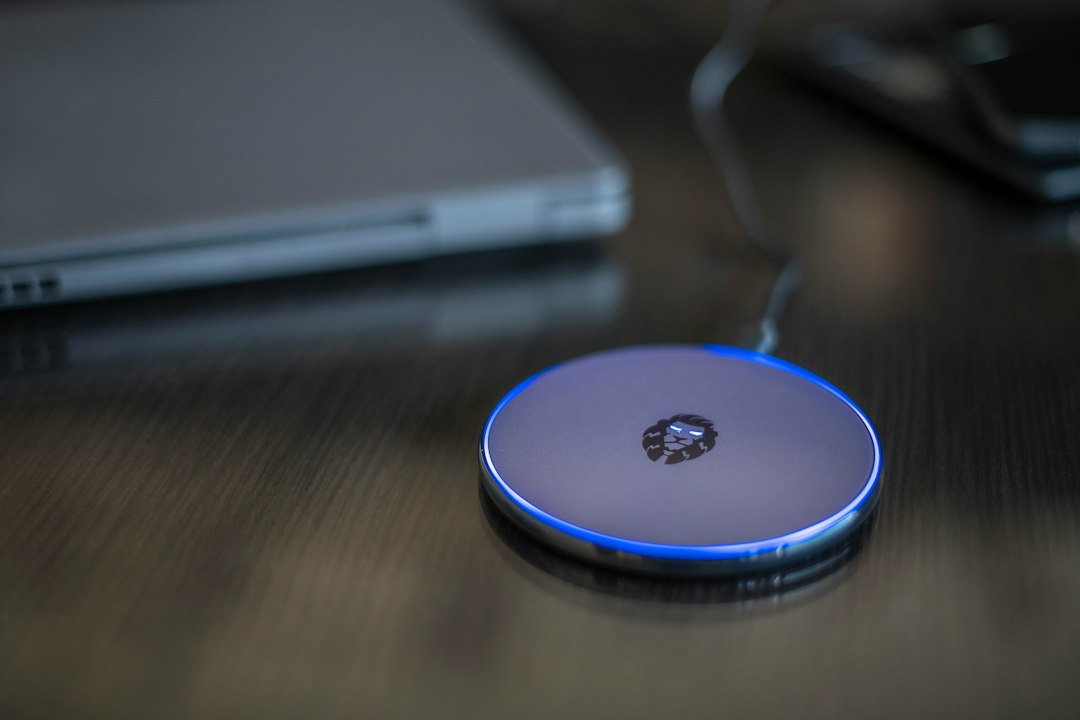
Find the best wireless charging pads for iPhone, Android, and earbuds. Compare Qi2 speed, safety, and value to choose the right pad for your desk today.
Wireless charging pads turn the small ritual of plugging in a phone into a simple drop-and-go habit. The best models keep a nightstand tidy, reduce cable wear, and power compatible phones or earbuds without hunting for the right connector. Yet a pad that looks great online can charge slowly, slide across a desk, or fail to align with a thick case. This guide explains how to choose a dependable Qi or Qi2 option, what charging speeds actually mean, and which features deserve your budget. We compare trusted options for iPhone and Android users, from compact travel-friendly pucks to premium magnetic chargers. You will also learn how to avoid heat, confirm compatibility, and pair the pad with a suitable wall adapter. As an Amazon Associate, we earn from qualifying purchases. Read on to find a wireless charger that fits your devices, routine, and workspace beautifully every day, at home or work.
How Wireless Charging Pads Work
Wireless charging pads use electromagnetic induction to transfer energy from the charger to a compatible device. Most modern pads support the widely used Qi standard, while Qi2 adds a magnetic alignment system for supported phones and accessories. Proper alignment matters because the charging coils must sit close together; even a small shift can reduce efficiency, create excess heat, or stop charging altogether.
For iPhone owners, a MagSafe-compatible or Qi2 magnetic pad can make placement nearly automatic. Android users should check whether their phone supports Qi charging, its maximum accepted wireless wattage, and whether magnetic alignment is built in or requires a magnetic case. Standard Qi pads remain a practical, affordable choice when your phone will stay in one place, such as a bedside table.
Do not assume the number printed on a charger is the speed your phone will receive. Charging performance is limited by the phone, charger, cable, power adapter, battery temperature, and alignment. A quality pad paired with the correct adapter usually delivers a better experience than a high-wattage pad connected to an underpowered USB port.
Top Wireless Charging Pad Styles to Consider
Compact Qi pads are the straightforward choice for desks, bedrooms, and guest rooms. They are typically small, easy to position, and suitable for overnight charging. Look for a textured or rubberized surface so your phone does not drift off the coil, plus an unobtrusive status light that will not disturb sleep.
Magnetic Qi2 pads are ideal for compatible iPhones and phones using a magnetic case. The magnetic connection helps keep the coils lined up, so it is easier to pick up a notification, put the phone back, and continue charging. The Anker MagGo range is worth considering if you want a compact magnetic option; compare the exact model’s Qi2 certification, cable length, and included accessories before ordering.
Premium branded pads can be a good fit when finish, support, and device-specific compatibility are priorities. A Belkin BoostCharge Pro model may suit buyers who prefer a refined magnetic charging experience, while the Apple MagSafe Charger is a minimalist choice for Apple users who already have a suitable USB-C power adapter. These products are often sold as charging pucks rather than full kits, so read the package contents carefully.
Multi-device stations charge a phone, earbuds, and sometimes a watch in one location. They save outlet space, but they are less portable than a single pad and may not be necessary if you only charge one device. For a clean everyday setup, choose the style that matches your actual routine rather than paying for unused charging positions.
What to Look for Before You Buy
Start with compatibility. Confirm that your phone supports Qi, MagSafe, or Qi2 charging, then check whether your protective case is wireless-charging compatible. Very thick cases, metal plates, wallet attachments, pop grips, and poorly placed magnetic rings can interfere with charging. If you use a case, verify its stated compatibility with your chosen charger.
Next, review the charger’s power requirements. Some wireless charging pads include only a USB cable, not a wall adapter. A pad may need a USB-C Power Delivery adapter of a particular output to reach its intended performance. Using an old low-power adapter will not damage a reputable charger, but it can cause noticeably slower charging.
- Certification: Prefer Qi-certified or Qi2-certified products where available.
- Heat management: Choose a pad with built-in temperature, over-current, and foreign-object protection.
- Surface design: Non-slip materials and a stable base improve coil alignment.
- Indicator light: A dimmable or sleep-friendly LED is useful on a nightstand.
- Cable length: Measure the distance to your outlet before choosing a compact pad.
Finally, consider the intended location. A slim pad works well in a travel bag, a magnetic pad is convenient on a work desk, and a wider base may be safer on a busy family counter.
Charging Speed, Heat, and Everyday Safety
Fast wireless charging is convenient, but it is inherently less efficient than a direct cable connection. Heat is the main trade-off. It is normal for a phone and pad to feel mildly warm, especially during a rapid top-up, but excessive heat can slow charging because the phone protects its battery. For the coolest results, remove bulky cases, keep the pad out of direct sunlight, and avoid covering the phone while it charges.
Use the cable supplied with the pad or a reputable replacement, along with a certified wall adapter that meets the manufacturer’s requirements. Avoid placing coins, keys, cards with magnetic stripes, or other metal objects between the phone and charger. Many reliable pads include foreign-object detection, but prevention is still the safest approach.
Wireless charging is particularly useful for maintaining a daily battery range instead of repeatedly draining a phone to empty. If battery longevity is your priority, use your phone’s optimized charging settings when available and reserve high-speed wired charging for times when you genuinely need it.
Set Up Your Charging Pad for Better Results
Place the pad on a flat, ventilated surface and connect it directly to a dependable wall adapter. Position your phone in the center of a standard Qi pad, or let the magnets guide it on a Qi2 model. Watch for the charging icon before walking away; this quick check prevents the common problem of leaving a phone on the pad slightly off-center.
If charging starts and stops, clean the phone and pad surfaces, remove attachments from the case, test another cable or adapter, and update the phone’s software. If an LED flashes, consult the product manual because light patterns often indicate foreign-object detection or insufficient input power.
For travel, a small pad with a removable USB-C cable is easier to pack and replace if damaged. At home, route the cable behind furniture or use a short cable organizer to create the cable-free appearance that makes wireless charging pads so appealing.
FAQ
- Are wireless charging pads safe for phones?
- Yes, reputable Qi and Qi2 chargers are designed with safety controls such as temperature monitoring and foreign-object detection. Use a compatible phone, quality cable, and suitable wall adapter, and keep metal objects away from the charging surface.
- Do wireless charging pads work through phone cases?
- Many do, provided the case is reasonably thin and does not contain metal plates, a wallet attachment, or a badly positioned magnetic ring. Check both the phone case and charger specifications for wireless-charging compatibility.
- Is Qi2 better than a standard Qi charging pad?
- Qi2 can be better for supported magnetic devices because it helps align the charging coils consistently. That improved alignment is convenient and can reduce failed charging attempts, but a standard Qi pad is still an excellent value for overnight charging.
- Why is my wireless charger charging slowly?
- Slow charging can result from poor alignment, a low-output wall adapter, a thick case, heat, or the phone’s own charging limits. Re-center the phone, remove unnecessary accessories, and verify that the adapter meets the pad manufacturer’s recommended power requirement.
Conclusion
Choosing wireless charging pads is less about chasing the highest number on a box and more about matching the charger to the phone, case, and place where it will live. A compact Qi pad is often enough for occasional desktop charging, while a Qi2 magnetic model makes sense when dependable alignment and quick top-ups matter. Before buying, confirm the listing’s included cable and adapter, supported wattage, and case guidance. Then use a certified power source and give the pad open airflow. Ready to simplify your charging routine? Compare the models above, read the latest compatibility details, and check the price for the version that suits your setup. Buying through our links helps support this guide at no added cost to you. Pick a pad that feels effortless, keep the charging surface clear, and enjoy a cleaner nightstand, desk, or travel bag each day without extra cable clutter in your space.
— Enjoyed this? Pass it on
— Want to build your own?
Publish articles like this in 90 seconds.
The whole terminal — AI writer, PA-API sync, refresh radar, auto-tweets — free for the first 3 articles.
Try for freeContinue reading