— amazon · Home Office
Best Ergonomic Office Chairs for Home Offices in 2026
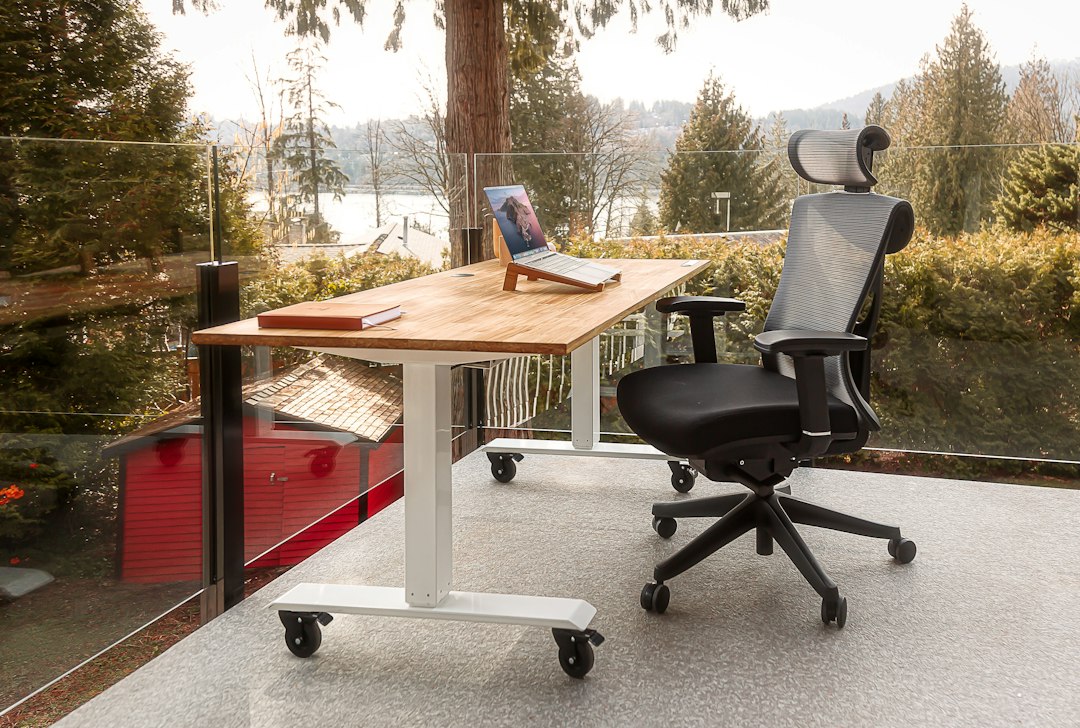
Discover the best ergonomic office chairs for home offices, with fit tips, feature comparisons, and Amazon buying advice for better daily comfort at work.
Finding the best ergonomic office chairs is less about a trendy silhouette and more about how well a chair supports your body through real work hours. A suitable model keeps your feet grounded, lets your back contact the backrest, and places the keyboard at a relaxed reach. Yet home office shoppers face a confusing mix of mesh, foam, headrests, lumbar systems, and adjustment claims. This guide narrows the decision to fit, movement, materials, and long-term value. You'll learn which features matter for different body types and work styles, how to compare leading Amazon-available options, and when a lower-priced chair makes more sense than a premium one. Before buying, measure your desk, note your seated habits, and prioritize adjustments you will actually use. The goal is not perfection on paper; it is comfortable, focused work with fewer avoidable aches by the end of the day and a chair you can keep using confidently for years ahead.
What Makes an Office Chair Truly Ergonomic?
The best ergonomic office chairs help you maintain a supported, changeable seated position instead of locking you into one posture. Look first for adjustable seat height, a backrest that follows your spine, stable armrests, and a tilt mechanism that encourages small movements. Ergonomics is personal: a chair that feels excellent for a taller person may create pressure behind the knees for a shorter person.
Start with seat height. When seated, your feet should rest flat on the floor or on a footrest, while your knees remain close to a 90-degree angle. Next, check seat depth. You generally want a gap of roughly two to four fingers between the front edge of the seat and the back of your knees. A sliding seat pan is especially useful for households where more than one person uses the workspace.
Back support matters just as much. Adjustable lumbar support should meet the natural inward curve of your lower back rather than press against your mid-back. Finally, do not overlook armrests. Height-adjustable arms reduce shoulder tension, while 3D or 4D armrests can move forward, backward, inward, and outward to support different keyboard and mouse positions.
Best Ergonomic Office Chairs by Home Office Need
Herman Miller Aeron is a premium benchmark for people who want breathable support during long workdays. Its suspension mesh, multiple size options, and highly tunable posture support make it a strong choice for users willing to invest in fit and durability. Because Aeron sizing is important, review the manufacturer size guidance and confirm the seller's listing details before ordering.
Steelcase Gesture is a compelling option for people who frequently change tasks or use multiple devices. Its flexible upper back and highly adjustable arms suit typing, video calls, tablet work, and reclined reading. It has a more cushioned feel than many all-mesh chairs, which some users prefer in a cooler home office.
For a more accessible mid-range option, the Branch Ergonomic Chair offers core adjustments such as lumbar support, armrest controls, tilt, and a breathable back. It can be a practical choice for a first dedicated workspace. If you want a softer seat and a traditional executive appearance, consider upholstered alternatives, but ensure they still offer meaningful lumbar and arm adjustments.
Amazon listings, colors, configurations, and pricing can change quickly. Read current specifications, delivery terms, return policies, and verified buyer feedback before making a final decision.
How to Choose the Right Fit for Your Body and Desk
Measure before you shop. Record the height of your desk, the available width between furniture, and the clearance needed to roll the chair back. A chair can be ergonomically capable yet frustrating if its armrests cannot slide beneath your desk or its base catches on a rug.
Prioritize a seat-height range that accommodates your leg length. If you are petite, seek a lower minimum seat height and shallower seat depth. Taller users should look for a taller backrest, a deeper seat pan, and a sufficient weight capacity. For shared offices, an adjustable chair is usually a better investment than a fixed-shape design.
Match materials to your environment. Mesh tends to improve airflow and is useful in warm rooms, although some people find firm mesh less comfortable without frequent posture changes. Foam-padded seats can feel plusher and warmer, but foam density affects long-term support. Fabric can be comfortable and quiet, while leather-style upholstery is easier to wipe clean but may retain heat.
Also consider your work pattern. A person sitting eight hours daily benefits from synchro tilt, recline tension, and lumbar adjustment. Someone who alternates with a standing desk may prefer simpler controls and quick adjustments. No chair replaces regular breaks, so aim to stand, stretch, or walk briefly throughout the day.
Features Worth Paying For—and Features You Can Skip
Spend your budget on adjustments that solve a real fit issue. The most valuable upgrades for many buyers are adjustable lumbar support, a seat slider, quality armrests, and a smooth reclining mechanism. A synchronized tilt lets the backrest and seat move together in a balanced way, helping you recline without feeling like you are sliding forward.
A headrest can be helpful if you often recline for calls, reading, or breaks, but it is not essential for upright keyboard work. If included, it should adjust in height and angle; a fixed headrest may push the neck forward for some users. Likewise, a high back is not automatically better. The correct back height depends on your torso length and how you use the chair.
Pay attention to the base and casters. Hard-floor casters protect wood or tile better than aggressive plastic wheels, while soft carpet may need a chair mat for easier rolling. A five-star base is standard for stability. For online purchases, check whether assembly tools are included and whether replacement parts are available.
Be cautious of vague terms such as “orthopedic” or “zero gravity” when they are not paired with clear adjustment specifications. Product photos cannot tell you whether the lumbar position, armrest height, and seat dimensions will fit you. The specifications and return window are more important than marketing language.
Buying Through Amazon: Smart Affiliate Shopping Tips
Amazon can make comparison shopping convenient, especially when you can review current pricing, shipping estimates, color variants, and customer photos in one place. As an Amazon Associate, this site may earn from qualifying purchases, at no extra cost to you. That relationship does not change the need to select a chair based on fit rather than discounts alone.
Before you check the price, compare the exact configuration. A chair name can cover several versions with different armrests, headrests, finishes, warranties, or frame materials. Confirm whether the listing is sold by Amazon, the manufacturer, or a third-party seller, and review the stated return process for large items.
Use reviews carefully. Search for comments from people with a similar height, weight, desk setup, and daily sitting time. Repeated reports about difficult assembly, wobbling arms, or uncomfortable seat edges are more useful than a generic star rating. At the same time, a few isolated complaints do not necessarily indicate a poor product.
For expensive chairs, calculate the cost over the expected years of use. A durable chair with replaceable components can offer better value than a low-cost option that loses support after a year. Save the listing, compare the warranty details, and buy when the chair's features genuinely match your workspace.
FAQ
- What is the best ergonomic office chair for working from home?
- The best choice depends on your height, desk dimensions, budget, and preferred feel. Herman Miller Aeron is a premium mesh option, Steelcase Gesture is excellent for arm adjustability, and Branch Ergonomic Chair provides useful core adjustments at a more moderate price point.
- Is a mesh chair better than a cushioned office chair?
- Neither is universally better. Mesh is breathable and supportive for many people, especially in warm rooms. Cushioned seats can feel softer and more traditional. Choose the material you can sit on comfortably while still getting proper lumbar support, armrest adjustment, and a suitable seat depth.
- How should an ergonomic office chair be adjusted?
- Set the seat so your feet are supported and your knees are near a right angle. Position lumbar support in your lower back, adjust armrests until your shoulders relax, and set recline tension so you can lean back without strain. Keep your monitor near eye level.
- Are expensive ergonomic chairs worth it?
- They can be worth it for people who sit for many hours and need advanced fit controls, durable materials, and stronger warranties. However, a well-adjusted mid-range chair can be a better purchase than a premium chair that does not fit your body or desk.
Conclusion
The best ergonomic office chairs are the ones that fit your body, work with your desk, and make it easier to change position throughout the day. Start with the essentials: appropriate seat height, supportive lumbar placement, comfortable seat depth, adjustable armrests, and a dependable recline mechanism. Then choose materials and upgrades based on your room temperature, work schedule, and budget. Premium models such as Herman Miller Aeron and Steelcase Gesture can justify their cost for demanding daily use, while the Branch Ergonomic Chair may cover the needs of many home office setups at a lower entry point. Compare the exact configuration rather than relying on a product name alone, and read the current dimensions, warranty terms, and return details. When you are ready, check the price on the model that best matches your measurements and working style. A thoughtful chair purchase can support more comfortable, productive work for years.
— Enjoyed this? Pass it on
— Want to build your own?
Publish articles like this in 90 seconds.
The whole terminal — AI writer, PA-API sync, refresh radar, auto-tweets — free for the first 3 articles.
Try for free