— amazon · Home Office
Best Ergonomic Office Chairs for Home Office Comfort
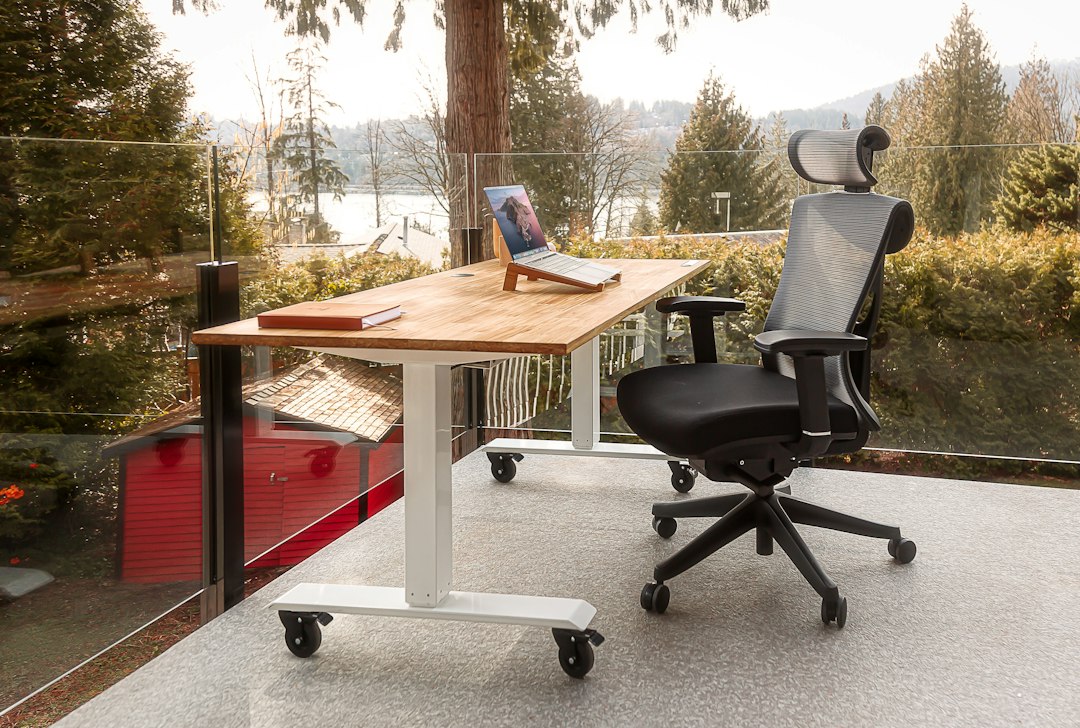
Discover the best ergonomic office chairs for home offices, with practical buying tips and picks for comfort, posture, adjustability, and daily productivity.
Finding the best ergonomic office chairs can make a meaningful difference when your dining table, spare room, or dedicated workspace has become your everyday office. A supportive chair does more than look professional: it helps you maintain a more neutral posture, keeps your feet and arms properly positioned, and makes long calls, focused work sessions, and late-night projects easier to manage. The right ergonomic chair for a home office should fit your body, your desk height, and your budget instead of forcing you to adapt to a one-size-fits-all seat. In this guide, we break down the most important features to compare, including lumbar support, seat depth, armrest adjustment, recline, and breathable materials. You will also find practical chair recommendations for different budgets and body types, plus simple setup advice to help you get more comfort from whichever model you choose.
What Makes an Office Chair Truly Ergonomic?
The best ergonomic office chairs are built around adjustability. Since bodies, desks, and work habits vary, a chair that lets you fine-tune its fit is usually more useful than a stylish chair with only basic height control. Start with seat-height adjustment so your feet can rest flat on the floor while your knees sit at approximately a right angle. If your desk is high, a footrest can help preserve that position.
Next, evaluate lumbar support. Effective lumbar support follows the natural inward curve of the lower back and should feel supportive rather than aggressively hard. Adjustable lumbar height or depth is especially valuable because the ideal location differs from person to person. A seat pan with adequate width and depth is also important: you should be able to sit back fully while leaving roughly two to three fingers of space between the seat edge and the back of your knees.
Look for adjustable armrests that allow your shoulders to relax while your elbows stay near desk height. Height adjustment is the minimum; width, pivot, and depth adjustments make it easier to support your forearms without bumping into the desk. Finally, a smooth recline mechanism encourages subtle movement during the day. A chair does not need every premium feature, but it should provide enough adjustment to support your normal working position.
Our Top Picks for Different Home Office Needs
Amazon availability, colors, and pricing can change frequently, so review the current product specifications and customer feedback before ordering. These picks represent useful categories to consider when comparing an adjustable office chair.
Branch Ergonomic Chair: best balanced option
The Branch Ergonomic Chair is a strong choice for remote workers who want a clean, professional-looking chair with core ergonomic adjustments. Depending on the listing and configuration, it may include adjustable lumbar support, a breathable backrest, seat-depth adjustment, and multi-directional armrests. Its balanced feature set can suit people who spend several hours at a desk but do not need an ultra-specialized task chair. Before buying, confirm the listed height and weight guidance to ensure it fits your workspace.
HON Ignition 2.0: best for customizable support
The HON Ignition 2.0 is widely recognized as a versatile task-chair option because configurations can include a mesh back, adjustable lumbar support, reclining tension controls, and adjustable arms. It is particularly worth considering if you prefer a chair that can be tailored over time as you refine your desk setup. Models vary, so compare the exact armrest, lumbar, and seat options shown on the Amazon listing rather than assuming every version includes the same features.
SIHOO M57: best mesh-style value
The SIHOO M57 is often considered by shoppers seeking a breathable mesh ergonomic chair at a more accessible price point. Its mesh back can improve airflow in warm rooms, while its adjustable headrest and armrest features may appeal to users who alternate between focused typing and relaxed reading. As with many value-oriented chairs, take time to review measurements and assembly notes. A chair can be a good value only if its seat depth and support range work for your body.
Duramont Ergonomic Office Chair: best feature-focused budget pick
The Duramont Ergonomic Office Chair is another popular category of chair for buyers who prioritize adjustable lumbar support and a tall mesh-back design. It may work well in compact home offices where ventilation and upright support matter more than luxury finishes. Read recent reviews for notes on assembly, long-term durability, and fit. If it matches your preferred measurements, it can be a practical starting point for upgrading from a basic desk chair.
How to Choose the Right Chair for Your Body and Desk
Do not choose solely by price, star rating, or appearance. The best office chair for back pain is not automatically the most expensive model; it is the chair that supports a comfortable, repeatable working posture for your specific dimensions. Measure your desk height, available floor space, and the distance from your chair to nearby drawers or walls before ordering. Check whether armrests can slide under your desk, especially if your work surface has a keyboard tray or low apron.
- For shorter users: prioritize a lower minimum seat height and a shallower seat pan. A footrest can improve comfort if the chair still sits too high.
- For taller users: look for a deeper seat, higher backrest, and adjustable headrest if you use one. Verify the maximum seat height and back dimensions.
- For warm rooms: a mesh back can feel cooler than thick foam upholstery, particularly during long sessions.
- For shared workspaces: choose controls that are intuitive and quick to adjust. Multiple users benefit from easy seat-height and armrest adjustments.
- For long workdays: prioritize lumbar adjustment, arm support, recline tension, and a seat cushion that does not feel overly firm or overly soft.
Also consider return policies and warranty coverage. Chairs involve personal fit, and even detailed measurements cannot fully predict how a seat will feel after a week of daily use. If you find a model that matches your needs, use the product listing to check the price, verify included adjustments, and review the latest delivery information.
Set Up Your Ergonomic Chair for Better Posture
Buying a supportive chair is only the first step. Proper setup helps you get the most value from your investment. Begin by raising or lowering the seat until your feet are fully supported and your thighs are roughly parallel to the floor. Sit all the way back so the chair supports your pelvis and lower back instead of perching on the front edge of the seat.
Adjust lumbar support until it meets the natural curve around your beltline. It should encourage an upright but relaxed position, not force your spine into an exaggerated curve. Set armrests low enough that your shoulders remain loose, then bring them close enough to support your forearms while typing. If the armrests prevent you from getting near the desk, lower them or move them out of the way.
Position your monitor so the top third of the screen is around eye level, with the screen about an arm's length away. Keep the keyboard close enough that you do not reach forward with rounded shoulders. Use recline thoughtfully: a slight recline can reduce static loading and encourage movement, but your lower back should remain supported. Even with the best home office chair, stand, stretch, or walk briefly every 30 to 60 minutes to avoid staying in one position for too long.
Amazon Associates Disclosure and Smart Shopping Tips
As an Amazon Associate, this site may earn from qualifying purchases. This does not increase your purchase price, and recommendations should always be evaluated against your own comfort needs, budget, and available space.
When shopping on Amazon, look beyond the headline rating. Read recent reviews first, paying attention to comments from people with similar height, weight, or desk setups. Review product photos that show the adjustment levers, armrest positions, and chair dimensions. Confirm whether the listing includes a headrest, rollerblade-style casters, or other accessories, since these details can vary by option.
It is also smart to compare the chair's warranty language, replacement-part availability, and return window. A lower-priced chair may be ideal for occasional use, while a daily workstation can justify spending more on stronger materials and more precise adjustments. The goal is not to buy the chair with the longest feature list; it is to select one that supports healthy working habits day after day.
FAQ
- What are the most important features in an ergonomic office chair?
- Prioritize adjustable seat height, supportive lumbar positioning, a seat depth that fits your legs, adjustable armrests, and a controlled recline. Breathable materials and a headrest can be helpful, but they are secondary to getting the core fit right.
- Is a mesh chair better than a cushioned office chair?
- Neither is automatically better. Mesh backs are popular for airflow and flexible support, while cushioned chairs may feel softer and more traditional. Choose based on your comfort preference, room temperature, and the quality of the chair's adjustment features.
- How much should I spend on a home office chair?
- A suitable budget depends on how often you use it. For occasional work, a basic adjustable chair may be enough. For daily work, investing in stronger lumbar support, armrest adjustment, and a durable recline mechanism can provide better long-term value.
- Can an ergonomic chair help with back discomfort?
- A well-fitted chair may help you maintain a more comfortable posture and reduce strain from poor seating habits. However, it is not a medical treatment. Combine proper chair setup with regular movement, desk adjustments, and advice from a qualified health professional when needed.
Conclusion
The best ergonomic office chairs are not defined by a single brand, material, or price tag. They are the chairs that fit your body, support your lower back, work with your desk, and encourage you to change positions throughout the day. Start by measuring your workspace and identifying the adjustments you will use most often. For a well-rounded option, consider the Branch Ergonomic Chair; for configurable task-chair features, compare the HON Ignition 2.0; and for breathable value-focused choices, review the SIHOO M57 and Duramont Ergonomic Office Chair. Always check the exact Amazon listing because included features, colors, availability, and pricing can vary. Once you choose a chair, spend a few minutes setting the seat height, lumbar support, armrests, and monitor position correctly. That small effort can make your home office more comfortable, productive, and sustainable for everyday work.
— Enjoyed this? Pass it on
— Want to build your own?
Publish articles like this in 90 seconds.
The whole terminal — AI writer, PA-API sync, refresh radar, auto-tweets — free for the first 3 articles.
Try for free