— amazon · Home Office
Best Ergonomic Office Chairs for Home Office Comfort
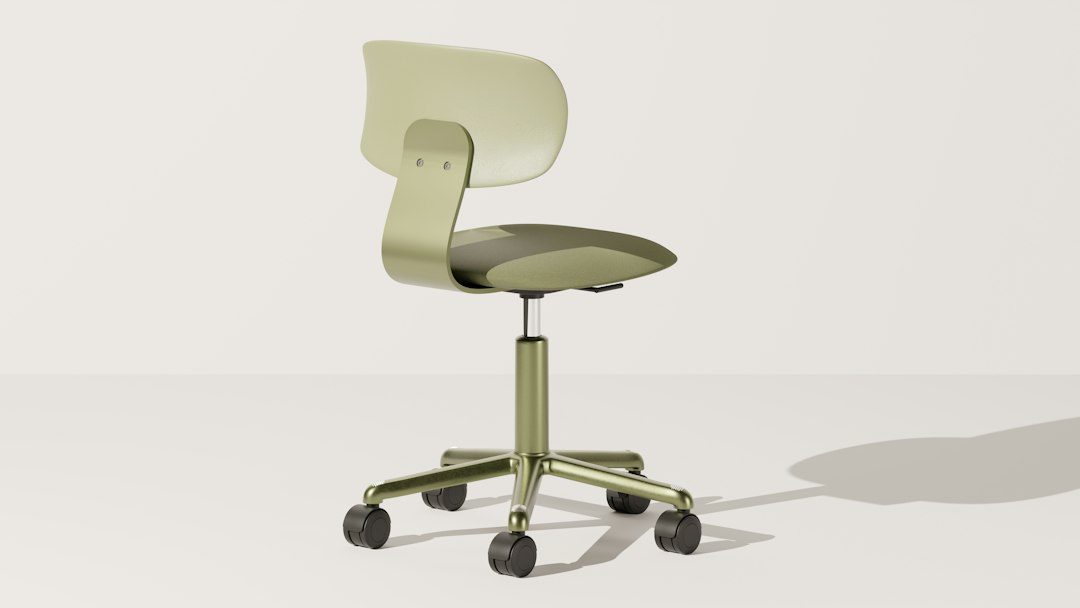
Find the best ergonomic office chairs for home offices with fit guidance, posture tips, and Amazon-ready picks for comfortable, productive workdays today.
The best ergonomic office chairs do more than make a desk look professional: they help you create a work setup that feels sustainable through long calls, focused projects, and everyday tasks. A poor chair can encourage slouching, put pressure on your hips, and leave your shoulders feeling tense by the end of the day. The right ergonomic chair for a home office supports your body while giving you enough adjustments to match your height, desk, and preferred working posture. This guide explains the features that matter most, how to measure for a better fit, and which popular chair styles suit different budgets. Whether you want breathable mesh, a soft cushioned seat, or adjustable lumbar support, use these recommendations as a practical starting point. Product availability, colors, and specifications can change, so always review the current Amazon listing before buying.
What Makes an Office Chair Truly Ergonomic?
An ergonomic chair is designed to accommodate the person using it rather than forcing the person to adapt to the chair. The most important starting point is adjustable seat height. When seated, your feet should rest flat on the floor or on a footrest, with your knees close to a 90-degree angle. This position can reduce unnecessary pressure behind the thighs and makes it easier to use your keyboard comfortably.
Next, look for lumbar support that meets the natural inward curve of your lower back. Fixed lumbar padding can work if it happens to fit your body, but adjustable height or depth gives more people a useful fit. A supportive backrest should also encourage you to sit back rather than perch at the front edge of the seat.
Other valuable features include a tilt mechanism, tilt tension adjustment, seat-depth adjustment, and armrests that move in height, width, or depth. More adjustments do not automatically mean a better chair; they matter when they help you achieve a neutral, relaxed position. The best ergonomic office chairs balance supportive structure with simple controls you will actually use.
How to Choose the Right Chair for Your Home Office
Start with your body dimensions and workstation, not the chair's appearance. Measure the height of your desk and note how high your keyboard sits. If your desk is high, confirm that the chair can rise enough while still allowing your feet to stay supported. If you are shorter, a shallow seat depth is especially useful because the front edge should not press firmly into the backs of your knees.
Seat width and weight capacity are also practical considerations. Leave enough room to shift naturally, but avoid an overly wide seat that makes armrests difficult to position. For shared workspaces, choose a model with a broad adjustment range so multiple people can use it comfortably.
Material affects day-to-day comfort. Mesh office chair designs are popular in warm rooms because air can move through the backrest. Fabric and foam seats may feel softer, while faux leather can be easy to wipe clean but may retain heat. Finally, check the caster type. Hard-floor-safe wheels or a chair mat can help protect wood, vinyl, and laminate flooring.
Popular Ergonomic Chair Picks to Compare on Amazon
Amazon carries chairs across a wide price range, from basic task seating to highly adjustable premium models. Instead of selecting solely by star rating, compare the adjustment features, dimensions, warranty details, and recent reviews from buyers with a similar height or use case.
Steelcase Series 1
The Steelcase Series 1 is worth considering for shoppers who want a more refined task-chair experience in a compact home office. Depending on the configuration, it may offer adjustable lumbar support, adjustable armrests, responsive recline, and a breathable back. Its streamlined footprint can suit smaller rooms, but buyers should carefully review the selected listing's included adjustments because configurations can differ. If it fits your budget, check the price and compare the listed dimensions with your desk setup.
Branch Ergonomic Chair
The Branch Ergonomic Chair appeals to remote workers looking for a modern chair with everyday adjustability. Many configurations emphasize a breathable back, adjustable lumbar support, and adjustable armrests. It can be a sensible middle-ground option for someone upgrading from a basic office chair without moving into a premium price tier. Before ordering, confirm whether the Amazon listing includes the preferred color, headrest option, and return terms.
SIHOO M57
The SIHOO M57 is a mesh-focused option often considered by value-minded buyers. Its feature set may include an adjustable headrest, lumbar support, armrest adjustments, and a recline function, though exact specifications vary by seller and version. A headrest can be useful for occasional reclined breaks, but it is not essential for upright computer work. Focus first on seat height, lumbar placement, and armrest fit.
For any model, read the assembly notes and inspect photos of the controls. An adjustable office chair is most useful when its controls are accessible while seated and intuitive enough to fine-tune after a few days of use.
Set Up Your Chair for Better Posture
Even an excellent chair will feel wrong if it is set up poorly. First, raise or lower the seat until your feet are supported and your elbows can rest near desk height. Move your hips fully to the back of the seat, then position the lumbar support around your beltline rather than too high on your back.
Set armrests just high enough to lightly support your forearms without lifting your shoulders. If armrests prevent you from getting close enough to the desk, lower them, narrow them, move them back, or remove them when the chair design allows. Keep your keyboard and mouse close enough that you are not reaching forward.
Use recline as movement, not as a locked position you never change. A slight recline can distribute pressure comfortably during reading or calls. Stand, walk, or change positions regularly as well. Ergonomics is not one perfect posture; it is a setup that makes healthy movement easier throughout the day.
Smart Amazon Shopping Tips for Office Chairs
When shopping through Amazon, verify that you are viewing the exact model, size, and configuration you intend to buy. Product pages may group several versions under one listing, and photos can show optional accessories that are not included. Read recent reviews for comments about seat firmness, assembly, shipping damage, and fit, but treat individual experiences as personal rather than universal.
Check the seller, delivery estimate, return window, and warranty information before checkout. Chair comfort is highly individual, so a clear return policy can be as valuable as an extra feature. Prices and availability change frequently; use the links in this guide to check the price and review current details. As an Amazon Associate, this site may earn from qualifying purchases at no extra cost to you.
FAQ
- Are mesh ergonomic office chairs better than cushioned chairs?
- Neither material is automatically better. Mesh can feel cooler and more breathable, which is helpful in warm home offices. Cushioned seats may feel softer and can suit people who prefer more padding. Prioritize fit, lumbar support, seat depth, and adjustability over material alone.
- Do I need a headrest on an ergonomic office chair?
- A headrest is optional for most desk work. It can be comfortable when reclining, taking calls, or resting between tasks, but proper back support and armrest placement matter more for an upright working posture. Make sure a headrest does not push your head forward.
- How much should I spend on an ergonomic chair for a home office?
- Your budget should reflect how many hours you use the chair and which adjustments you need. For occasional use, a well-reviewed basic model may be enough. For daily full-time work, investing in durable materials, reliable adjustments, and a solid return policy is often worthwhile.
- How long does it take to adjust to a new office chair?
- Give yourself several days to fine-tune the chair before deciding whether it works. Adjust the seat height, lumbar position, armrests, and recline gradually. If discomfort continues after proper setup, the chair's shape or dimensions may not match your body well.
Conclusion
Choosing among the best ergonomic office chairs is ultimately about fit, adjustment range, and the way you work every day. Start by making sure the seat height supports your feet, the backrest supports your lower back, and the armrests let your shoulders relax near your desk. Then choose the material and feature level that fits your room, climate, and budget. A premium chair can be a valuable long-term upgrade, but even a moderately priced model can improve your setup when it has the right dimensions and useful adjustments. Compare the Steelcase Series 1, Branch Ergonomic Chair, and SIHOO M57 against your personal needs, paying close attention to current listing details and return policies. Ready to upgrade your workspace? Review the options, check the price, and choose the chair that makes your home office more comfortable for the hours ahead.
— Enjoyed this? Pass it on
— Want to build your own?
Publish articles like this in 90 seconds.
The whole terminal — AI writer, PA-API sync, refresh radar, auto-tweets — free for the first 3 articles.
Try for free