— amazon · Home Office
Best Ergonomic Office Chairs for Comfortable Home Work
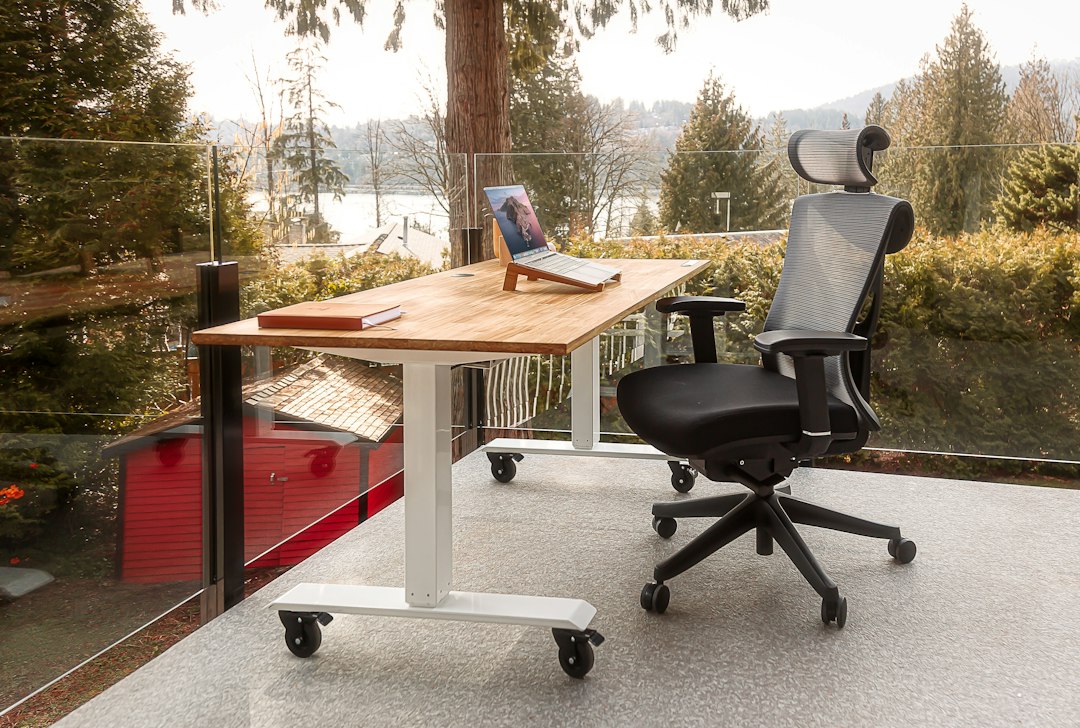
Discover the best ergonomic office chairs for home offices, with fit, lumbar support, adjustability, and budget tips to choose your ideal seat with confidence.
The best ergonomic office chairs do more than make a home office look polished: they help you maintain a supported, comfortable posture through long calls, focused writing sessions, and late-afternoon deadlines. A chair that fits poorly can leave your lower back unsupported, place pressure behind your knees, or force your shoulders upward while typing. The right model should adapt to your body, desk height, and work habits instead. In this guide, you will find practical recommendations for different budgets, body types, and workspaces, plus a straightforward checklist for comparing features on Amazon. From breathable mesh designs to premium chairs with highly tunable support, the goal is not simply to buy the most expensive seat. It is to choose an ergonomic chair for home office use that encourages movement, supports natural spinal alignment, and remains comfortable after several hours at your desk.
What Makes an Office Chair Truly Ergonomic?
An ergonomic chair is adjustable enough to support your proportions instead of asking you to adapt to a fixed shape. Start with seat-height adjustment. With your feet flat on the floor or a footrest, your knees should sit around a 90-degree angle and your thighs should not feel compressed by the front edge of the seat. A waterfall seat edge, which slopes downward at the front, can reduce pressure behind the knees.
Next, prioritize office chair lumbar support. The lumbar curve should meet the natural inward curve of your lower back, not press into your ribs or sit too low against your tailbone. Adjustable lumbar height and depth are especially helpful if more than one person uses the chair. Recline tension and a lockable recline let you shift positions during the day, while adjustable armrests help keep your shoulders relaxed when your elbows are near desk height.
Also consider material and workspace conditions. A mesh ergonomic chair promotes airflow in warm rooms and typically feels lighter visually in a small office. Foam-upholstered seats may feel more cushioned, but seat density and breathability vary. Finally, verify the chair's stated user weight capacity, seat dimensions, return terms, and warranty details on the current Amazon listing before ordering. Ergonomics is about fit, support, and movement—not marketing labels alone.
Best Ergonomic Office Chairs: Top Options to Compare
The following options represent useful categories for home-office shoppers. Availability, colors, included headrests, and specifications can change by seller, so review the live listing carefully before purchase.
| Chair | Best for | Standout feature |
|---|---|---|
| SIHOO M57 | Value-focused buyers | Breathable mesh and adjustable support |
| Hbada E3 | Compact home offices | Flexible adjustment options |
| COLAMY Atlas | Users wanting a headrest | Supportive high-back layout |
| Herman Miller Aeron | Premium long-term seating | Highly refined mesh support |
SIHOO M57: a strong value-oriented mesh choice
The SIHOO M57 is worth considering when you want a more adjustable office chair without moving into premium pricing. Its mesh back is a practical fit for warmer rooms, and its adjustable design can suit many everyday desk setups. Pay close attention to the listing's seat depth, armrest adjustments, and lumbar range; those details determine whether it will fit your frame. It is a sensible starting point for shoppers seeking the best ergonomic office chairs on a limited budget. Use the product page to check the price, current configuration, and warranty information.
Hbada E3: useful for flexible workspaces
The Hbada E3 appeals to people who need an adjustable office chair for a smaller room or multipurpose workspace. Look for the version with the adjustment features you use most, particularly adjustable armrests and lumbar support. A compact chair should still allow you to sit fully back in the seat without your knees pressing against the desk. Measure both your available floor area and the height of your desktop before choosing.
COLAMY Atlas: a high-back option to investigate
The COLAMY Atlas can be a practical option for users who prefer a taller back and the added contact of a headrest while reclining. A headrest is most useful during breaks or reclined work; it should not push your head forward while you type. Check that the backrest shape supports your lower back first, since lumbar fit matters more than headrest presence.
Herman Miller Aeron: premium mesh performance
The Herman Miller Aeron remains a well-known premium option for people who spend much of the day seated and value a highly engineered mesh feel. It comes in sizes, so selecting the appropriate size is essential rather than optional. The upfront cost can be substantial, but the chair may make sense for a dedicated office where long-term comfort, breathable support, and a strong warranty are priorities.
How to Choose the Right Chair for Your Body and Desk
Before you order, take a few measurements. Measure from the floor to the underside of your desk, then compare it with the chair's adjustable armrest range. Ideally, your armrests can slide beneath the desk or sit just below the work surface so you can draw close to the keyboard. If your desk is unusually high, a chair with a taller seat range and a footrest may be necessary.
Seat depth matters just as much. Sit back so your lower back contacts the backrest, then aim for roughly two to three fingers of space between the seat edge and the back of your knees. Taller users often benefit from a deeper seat, while shorter users may need a shallower seat or a sliding seat pan. If you experience discomfort, do not assume the best desk chair for back pain is automatically the one with the thickest padding. Consistent lumbar contact, proper height, and the ability to recline and change position are usually more meaningful.
For shared offices, choose broad adjustment ranges over one-size-fits-all styling. Height-adjustable lumbar support, multi-directional armrests, adjustable recline tension, and a seat slider give two users a much better chance of finding a healthy setup. Assemble the chair carefully, tighten fasteners as directed, and re-check adjustments after the first week of use.
Budget, Amazon Shopping, and Smart Buying Checks
Price alone does not define value. Entry-level chairs can provide decent airflow and basic height adjustment, while mid-range designs often add better armrests, more useful lumbar adjustment, and smoother recline mechanisms. Premium chairs may offer more precise fit, durable components, and longer warranties. Decide which features solve your actual problem before paying for extras. For example, a warm room may justify mesh, while a user with a high desk may get more value from taller armrest and seat-height ranges.
When shopping through Amazon, compare the exact variant rather than relying on the main product image. Some listings group multiple chair versions, and a headrest, upgraded armrests, or a different base may change the price and features. Read recent verified-purchase reviews for comments about assembly, fit, shipping damage, and seller responsiveness, but treat individual opinions as personal experiences rather than universal facts. Always check the price and delivery estimate immediately before purchasing.
Affiliate disclosure: As an Amazon Associate, this site may earn from qualifying purchases. This does not change the price you pay.
Set Up Your Ergonomic Chair for Better Daily Comfort
Even the best ergonomic office chairs need a correct setup. First, raise or lower the seat until your feet are supported and your knees are comfortable. Set lumbar support so it fills, rather than aggressively presses into, the curve of your lower back. Adjust armrests until your elbows can rest lightly without elevating your shoulders. Then position your monitor so the top portion of the screen is approximately at or slightly below eye level.
Use recline actively. Locking a chair upright all day can encourage static posture, while a modest recline can reduce the feeling of constant compression. Alternate between sitting upright for detailed work and reclining slightly for reading or calls. Take brief movement breaks at least once an hour; stand up, walk, or perform a few gentle shoulder and hip movements.
Remember that a chair cannot fully compensate for a poorly arranged workstation. Pair your ergonomic chair for home office use with a keyboard and mouse that let your wrists stay neutral, adequate lighting, and a desk height that does not force you to shrug. Small adjustments made consistently can have a larger effect on comfort than a single dramatic change.
FAQ
- What is the most important feature in an ergonomic office chair?
- Adjustable lumbar support and seat-height adjustment are two of the most important features because they help the chair fit your spine and desk setup. Adjustable armrests, seat depth, and recline tension add meaningful comfort, especially for long workdays.
- Are mesh office chairs better than cushioned chairs?
- Neither is automatically better. A mesh ergonomic chair is often cooler and more breathable, while a cushioned chair may feel softer. Choose the option that provides the best lumbar contact, seat-depth fit, and adjustment range for your body.
- Should I buy a chair with a headrest?
- A headrest can be useful when you recline during calls or breaks, but it is not essential for everyone. Make sure it adjusts comfortably and does not push your head forward. Prioritize lower-back support and proper seat fit first.
- How long should an ergonomic office chair last?
- Lifespan depends on materials, user weight, daily use, maintenance, and warranty coverage. Check the manufacturer's warranty, stated capacity, and replacement-parts policy. Tightening hardware periodically and using the chair within its rated limits can help preserve performance.
Conclusion
Choosing among the best ergonomic office chairs is ultimately a fit decision, not a popularity contest. Focus first on adjustable seat height, reliable lumbar support, armrests that work with your desk, and a recline that lets you move naturally throughout the day. The SIHOO M57 may suit value-conscious shoppers, the Hbada E3 can be worth a look for flexible workspaces, and the Herman Miller Aeron is a premium option for buyers prioritizing refined long-term support. Whichever model you consider, measure your desk, review the exact Amazon variant, and confirm the return and warranty details before ordering. A well-fitted chair can make focused work feel noticeably easier, but regular breaks and a properly arranged workstation matter too. Ready to improve your setup? Compare the current options, read recent buyer feedback, and check the price for the chair that best matches your body, budget, and home-office routine.
— Enjoyed this? Pass it on
— Want to build your own?
Publish articles like this in 90 seconds.
The whole terminal — AI writer, PA-API sync, refresh radar, auto-tweets — free for the first 3 articles.
Try for free