— amazon · Home Office
Best Ergonomic Office Chairs for a Healthier Home Office
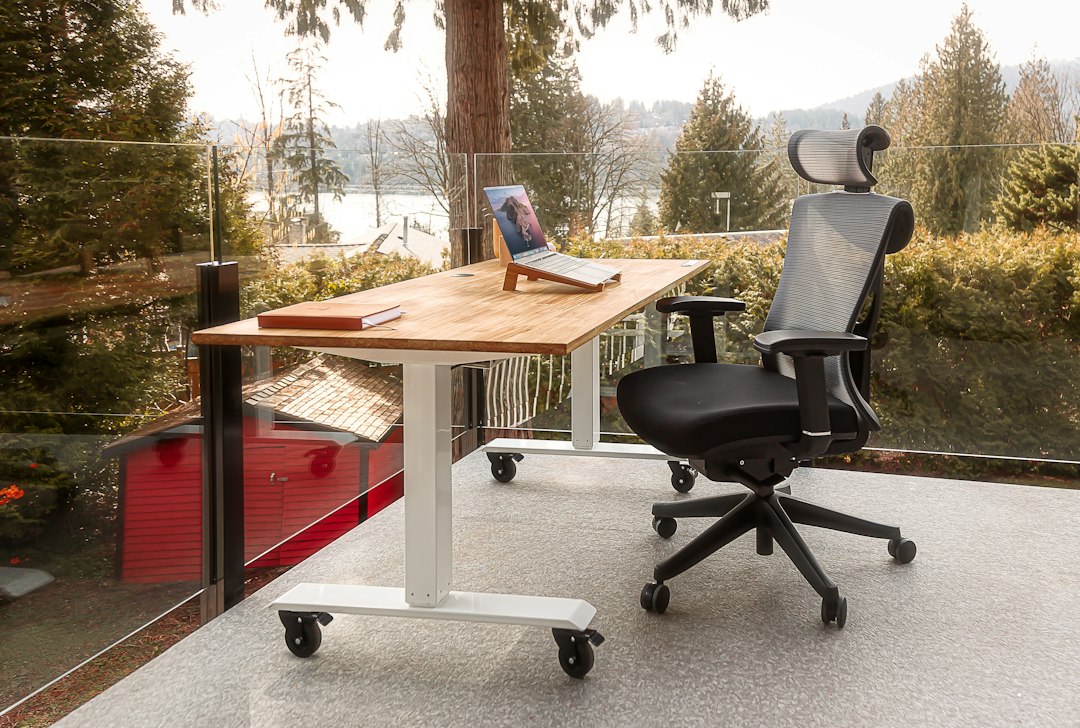
Discover the best ergonomic office chairs for home offices, with expert buying tips and Amazon-ready picks for comfort, posture, productivity, and support.
The best ergonomic office chairs can transform a home office from a place that leaves you stiff and distracted into a workspace that supports focused, comfortable work. Whether you spend a few hours answering emails or sit through full workdays of meetings, the right chair should fit your body, desk height, and working habits. Features such as adjustable lumbar support, seat-depth control, armrests, recline tension, and breathable mesh matter far more than a chair’s appearance alone. This guide compares practical options for different budgets and body types, explains what to look for before buying, and helps you avoid common comfort mistakes. Some links may be Amazon Associate links, meaning we may earn a commission at no extra cost to you. Always review current product specifications, customer feedback, and availability before making a purchase.
What Makes an Ergonomic Office Chair Worth Buying?
An ergonomic desk chair is designed to accommodate your posture rather than force your body into a fixed position. The goal is not to sit perfectly still all day; it is to make healthy position changes easy while keeping your spine, shoulders, hips, and wrists supported.
Start with lumbar support. A useful lumbar system supports the natural inward curve of your lower back and should ideally move up, down, in, or out to match your build. Next, look for a seat with enough width to move comfortably and enough depth to support your thighs without pressing into the backs of your knees. A gap of roughly two to three fingers between the seat edge and your knees is a helpful starting point.
Armrests are equally important, especially for keyboard and mouse work. Height-adjustable armrests can help keep your shoulders relaxed; 3D or 4D armrests also adjust forward, backward, sideways, or in angle. Finally, choose a recline mechanism that feels smooth and stable. A chair that lets you recline slightly while maintaining support can reduce static loading during long sessions.
- Best for warm rooms: breathable mesh backs and seats.
- Best for frequent movement: synchronized tilt and adjustable recline tension.
- Best for shared workspaces: a wide range of height and armrest adjustments.
- Best for smaller rooms: compact frames with flip-up arms.
Even the best chair works better with proper setup: keep your feet supported, position the top of your monitor near eye level, and take brief movement breaks throughout the day.
Best Ergonomic Office Chairs: Top Picks for Home Offices
The right choice depends on your budget, height, weight, preferred sitting position, and how long you use the chair each day. The following models are popular categories to compare when shopping through Amazon. Specifications can change by seller or model revision, so confirm dimensions and included adjustments on the listing before ordering.
SIHOO M57: Strong Value for Adjustable Support
The SIHOO M57 is a compelling option for shoppers who want the essentials of an ergonomic chair without moving into premium pricing. It commonly features a ventilated mesh back, adjustable headrest, lumbar support, recline, and multi-direction armrests. The airy design can be particularly useful in warm home offices, while the headrest may appeal to users who lean back during calls or reading sessions.
This chair is best suited to buyers who prioritize adjustability and a modern mesh feel. Before purchasing, check the seat-height range and overall back height if you are especially tall, petite, or plan to share the chair with another person.
Nouhaus Ergo3D: Flexible Armrest Positioning
The Nouhaus Ergo3D is often considered by people who want highly adjustable arms and a supportive mesh construction. Its armrest flexibility can make a difference for users who alternate between typing, using a trackpad, gaming, and taking video calls. A responsive recline can also encourage movement rather than locking you into an upright posture all afternoon.
This is a good match for a multi-purpose home office where one chair needs to serve both professional work and personal computer time. If armrest placement has been a problem with past chairs, review the exact range of motion listed by the seller.
Duramont Ergonomic Chair: Feature-Focused Budget Option
The Duramont Ergonomic Chair is a practical option for buyers seeking a familiar executive-style mesh chair with several adjustment points. Depending on the version, features may include adjustable lumbar support, headrest controls, armrest height settings, tilt lock, and breathable materials. It can provide a noticeable upgrade over basic task chairs that offer only height adjustment.
For the best experience, take time to assemble and tune it carefully. Set seat height first, then lumbar position, armrest height, and recline tension. A properly adjusted mid-range chair often feels substantially better than a more expensive chair left at its default settings.
GABRYLLY High Back: Spacious for Taller Users
The GABRYLLY High Back is worth comparing if you prefer a roomier seat and a taller back profile. Its generous frame and mesh build may suit larger users or anyone who dislikes a confined seating position. Flip-up arms can be helpful in compact offices because they allow the chair to slide farther beneath a desk when not in use.
Because spacious chairs take up more floor area, measure your desk clearance and workspace before ordering. Also verify the stated recommended height and weight range rather than assuming that a high-back design fits every body type.
How to Choose the Right Chair for Your Body and Desk
Shopping for the best ergonomic office chairs becomes easier when you evaluate fit before features. Begin by measuring your current desk height and noting whether your feet rest flat on the floor when your elbows are level with your keyboard. Most desks are around 29 inches high, but chair dimensions vary widely. If you cannot lower the chair enough for proper alignment, a footrest may help; if the chair is too low, your desk may need adjustment.
Seat depth is one of the most overlooked measurements. Taller users often need a deeper seat, while shorter users may find a deep seat pushes them forward or cuts into the back of the knees. A sliding seat pan offers the broadest fit range. If a chair does not have seat-depth adjustment, compare its listed seat depth to your own comfort needs.
Choose upholstery based on your environment. Mesh promotes airflow and has a lighter visual footprint, but firmness varies greatly among models. Foam-cushioned fabric seats can feel softer and may distribute pressure well, though they can retain heat. Leather-look materials are easy to wipe clean but are typically less breathable.
Do not overlook wheels and floor protection. Standard casters work well on low-pile carpet, while soft rubber casters are often better for hardwood, laminate, or tile. A chair mat can protect flooring and improve rolling consistency. If you experience ongoing or severe pain, consider seeking guidance from a qualified healthcare professional rather than relying on chair adjustments alone.
Set Up Your Ergonomic Chair in Five Simple Steps
A well-designed chair cannot deliver its full benefit until it is adjusted to you. Use this quick setup sequence after assembly and revisit it whenever you change desks, keyboards, or monitors.
- Set the seat height: Sit back fully and adjust height until your feet are flat and your knees are approximately level with, or slightly lower than, your hips.
- Set seat depth: Keep a small space between the front seat edge and the back of your knees. If the edge presses on your legs, shorten the seat pan or choose a shallower setting.
- Position lumbar support: Place the support against the curve of your lower back, not at your waist or mid-back. It should feel supportive, not aggressively forceful.
- Adjust armrests: Raise them until your forearms can rest lightly with relaxed shoulders. Move them inward only if they do not interfere with your desk or keyboard tray.
- Fine-tune recline: Use enough tension that you can lean back without suddenly dropping. Alternate between upright work and slight recline during the day.
Pair this setup with a monitor positioned directly ahead of you. Reaching, twisting, or craning your neck can undermine the benefits of even an excellent home office chair. Stand, stretch, or walk for a minute or two at regular intervals to break up long periods of sitting.
Smart Amazon Shopping Tips for Office Chairs
Amazon makes it convenient to compare office chairs, but listings can include multiple configurations, third-party sellers, and changing product revisions. Read the selected variation carefully before checkout. A product page may show a different color, headrest option, wheel type, or warranty level than the version shown in a review.
Prioritize verified buyer feedback that discusses fit, assembly, durability, and customer service over vague comments about appearance. Look for patterns rather than relying on a single very positive or negative review. Photos shared by buyers can also reveal how large a chair looks beside a typical desk.
Before you check the price, confirm four essentials: the chair’s seat-height range, maximum supported weight, return policy, and warranty details. Office chairs are personal purchases, and a generous return window can be valuable if the seat shape or lumbar support does not suit you. Keep packaging until you know the chair is a good fit.
Finally, consider total value instead of the lowest upfront price. A chair used eight hours per day receives far more wear than an occasional guest chair. Investing in reliable adjustments, stable construction, and appropriate support can be a more sensible long-term choice for a productive home workspace.
FAQ
- What is the most important feature in an ergonomic office chair?
- Adjustable lumbar support and a seat that fits your body are the best starting points. A chair should also provide a suitable height range, comfortable seat depth, and armrests that let your shoulders remain relaxed while typing.
- Are mesh office chairs better than cushioned chairs?
- Neither is automatically better. Mesh office chairs usually offer better airflow and a lighter feel, while cushioned chairs may feel softer and provide more pressure distribution. Choose the material that feels comfortable in your room temperature and supports your typical workday.
- Should I buy a chair with a headrest?
- A headrest can be useful if you recline during calls, reading, or breaks. It is less essential for upright keyboard work. If you choose one, look for height and angle adjustment so it supports the upper neck without pushing your head forward.
- How long should an ergonomic office chair last?
- Lifespan depends on build quality, user weight, daily use, and maintenance. A well-made chair can last several years or longer. Check the manufacturer warranty, tighten fasteners periodically, clean casters, and replace worn wheels when needed.
Conclusion
Choosing among the best ergonomic office chairs is ultimately about fit, adjustability, and the way you work each day. A breathable mesh model may be ideal for a warm room, while a cushioned seat may suit users who prefer a softer feel. Focus first on adjustable lumbar support, seat height, seat depth, armrests, and recline; these features have the greatest impact on daily comfort. The SIHOO M57, Nouhaus Ergo3D, Duramont Ergonomic Chair, and GABRYLLY High Back each offer different strengths for home office shoppers. Measure your space, compare the listed dimensions to your body, and read current buyer feedback before committing. When you find a model that fits your needs, check the price, confirm the return policy, and set it up carefully. A supportive chair is one of the most valuable upgrades you can make for a more comfortable, productive home office.
— Enjoyed this? Pass it on
— Want to build your own?
Publish articles like this in 90 seconds.
The whole terminal — AI writer, PA-API sync, refresh radar, auto-tweets — free for the first 3 articles.
Try for free