— amazon · Home Office
Best Ergonomic Office Chairs for a Healthier Home Office
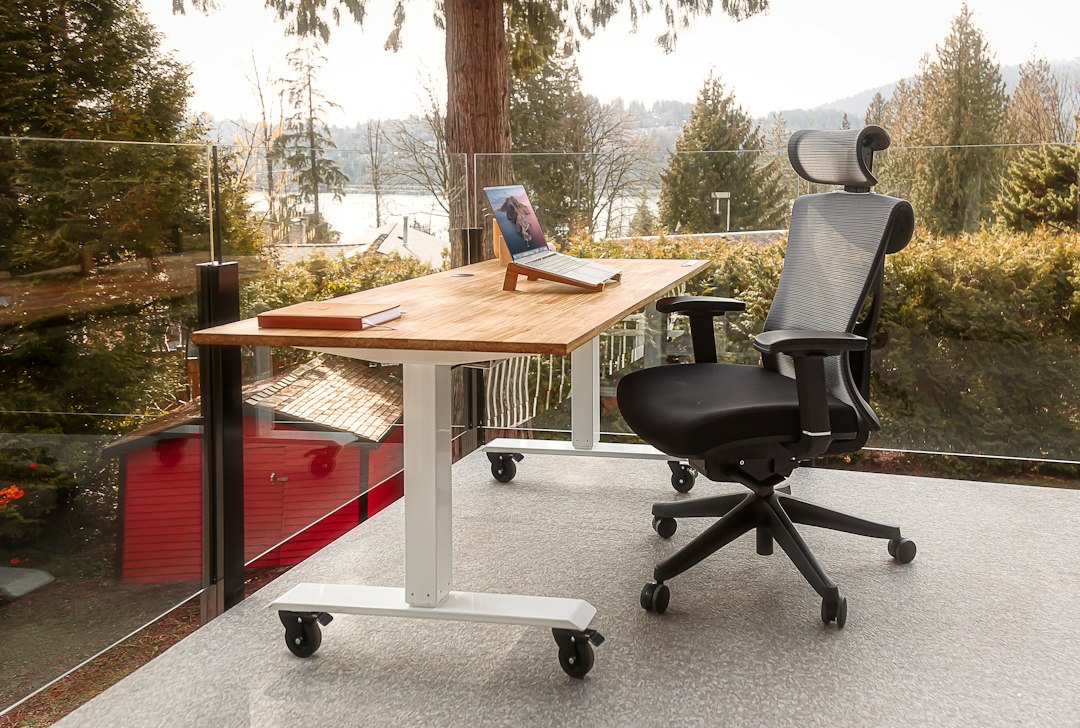
Discover the best ergonomic office chairs for home offices, with comfort features, buying tips, and Amazon-ready picks for healthier, more productive workdays.
The right desk setup can make a dramatic difference to how you feel at the end of the workday, and your chair is the foundation of that setup. The best ergonomic office chairs are designed to support natural posture, reduce pressure on your lower back, and help you stay focused during long calls, deep work sessions, and late-night projects. Whether you are building a dedicated workspace or upgrading a small home office corner, a supportive chair is one of the most practical investments you can make. In this guide, you will learn which ergonomic features matter most, how to choose the right fit for your body and desk, and which popular Amazon options deserve consideration. Some links may be affiliate links, meaning we may earn a commission at no extra cost to you. Our recommendations focus on comfort, adjustability, durability, and everyday value.
What Makes an Office Chair Truly Ergonomic?
An ergonomic chair for home office use should do more than look modern. It should allow you to adjust the chair around your body rather than forcing your body to adapt to a fixed position. The most important feature is adjustable lumbar support, which helps maintain the natural curve of your lower spine. Good lumbar support can reduce the slouching and forward-leaning posture that often causes discomfort during extended computer work.
Seat height adjustment is equally essential. When seated, your feet should rest flat on the floor or a footrest, your knees should sit roughly level with your hips, and your elbows should be close to a 90-degree angle while typing. Look for a seat pan with enough depth to support your thighs while leaving a small gap between the seat edge and the back of your knees.
Other valuable features include adjustable armrests, recline tension, tilt lock, a breathable backrest, and a stable five-point base. A mesh ergonomic chair is especially useful in warmer rooms because it promotes airflow. Meanwhile, foam-padded fabric or leather-style seating may feel more cushioned for users who prefer a softer surface. The best choice depends on your proportions, work habits, and personal comfort preferences.
Best Ergonomic Office Chairs to Consider on Amazon
Amazon offers a wide range of chairs at different price points, from affordable task chairs to premium long-term seating investments. Availability, finishes, and pricing can change, so always review the current product page, dimensions, and customer feedback before ordering.
Herman Miller Aeron
The Herman Miller Aeron remains one of the most recognizable premium options among the best ergonomic office chairs. Its breathable Pellicle suspension material, supportive posture-focused design, and multiple size options make it appealing for people who spend many hours at a desk. The Aeron costs considerably more than typical home-office chairs, but its adjustability, build quality, and established reputation can justify the investment for dedicated users. Check the price and verify which size and adjustment package suits your needs.
Steelcase Series 1
The Steelcase Series 1 is a strong choice for shoppers who want a well-known ergonomic design without stepping into the highest luxury price tier. It typically offers adjustable seat depth, supportive back contouring, arm adjustments, and a compact footprint that works well in smaller rooms. This chair is worth considering if you need an adjustable office chair that balances professional styling with practical daily support.
Branch Ergonomic Chair
The Branch Ergonomic Chair is often selected for its clean design and approachable feature set. Depending on the configuration available, it may include adjustable lumbar support, seat depth adjustment, tilt control, and armrest customization. It can be a sensible middle-ground pick for remote workers who want more refinement than a basic budget chair but do not need every premium feature.
SIHOO M57
The SIHOO M57 is a popular mesh ergonomic chair for budget-conscious buyers. Its ventilated back, headrest, lumbar area, and adjustable armrests can provide useful flexibility for everyday computer work. As with many value-focused chairs, fit and assembly experience may vary, so check the product measurements carefully. It is a practical option when you want key ergonomic features without a premium price tag.
How to Choose the Best Office Chair for Back Pain
If you are searching for the best office chair for back pain, prioritize adjustability over appearance. Back discomfort has many potential causes, and a chair cannot replace medical advice, movement, or a properly arranged workstation. However, a chair that supports neutral posture can make long desk sessions substantially more comfortable.
Start with lumbar support. Ideally, the support should be adjustable in height or depth so it meets the curve of your lower back rather than pressing against the wrong area. Next, assess the recline mechanism. A slight recline can reduce pressure on the spine compared with sitting bolt upright all day. Look for a chair with controllable tension and at least one tilt-lock position that feels stable.
Seat depth matters more than many shoppers realize. If the seat is too deep, it can press behind the knees or encourage slouching. If it is too shallow, your thighs may not receive enough support. Adjustable seat depth is particularly valuable for shorter or taller users. Finally, consider armrests. They should support your forearms without raising your shoulders, forcing your elbows outward, or preventing you from getting close enough to the desk.
Even the most supportive chair works best alongside healthy habits. Stand up every 30 to 60 minutes, position your monitor near eye level, keep frequently used items within reach, and avoid crossing your legs for extended periods. Small posture changes throughout the day are often as important as the chair itself.
Key Features to Compare Before You Buy
Use the following checklist to compare ergonomic office chairs before adding one to your cart:
- Weight capacity: Choose a chair rated for your body weight with a reasonable safety margin.
- Seat dimensions: Compare seat width, depth, and height range with your body and desk height.
- Lumbar adjustment: Adjustable support is usually more versatile than a fixed lumbar pad.
- Armrest movement: Height-adjustable arms are helpful; 3D or 4D arms add width, depth, and pivot adjustments.
- Recline range: A smooth recline with tension control supports movement during the day.
- Material: Mesh improves airflow, while padded upholstery may provide a plusher feel.
- Headrest: A headrest can help during reclined breaks, but it is not essential for everyone.
- Floor compatibility: Standard casters may mark soft wood floors; consider a chair mat or replacement wheels if needed.
Do not assume a chair is ergonomic simply because it has a headrest or a mesh back. A basic chair with a well-fitted seat, effective lumbar support, and appropriate armrest height can be more comfortable than a feature-heavy chair that does not match your proportions. Read recent reviews with an eye for comments from people with a similar height and build.
Set Up Your Ergonomic Chair for Better Daily Comfort
Once your new chair arrives, take a few minutes to set it up correctly. First, adjust the seat height until your feet are fully supported and your thighs are approximately parallel to the floor. If your desk is unusually high, use a footrest rather than allowing your feet to dangle. Move the chair close enough to the desk that you can type with relaxed shoulders and bent elbows.
Position the lumbar support so it fills the inward curve of your lower back. Then set the armrests just high enough to lightly support your forearms while keeping your shoulders relaxed. If the armrests collide with the desk or force you to sit too far away, lower them or move them out of the way when possible.
Set your monitor directly in front of you, with the top of the display at or slightly below eye level. A laptop-only setup often encourages neck flexion, so consider a laptop stand, external keyboard, and mouse. Finally, use the recline function. Changing positions regularly is healthier than trying to hold one “perfect” posture for eight hours. The goal is supported movement, not stiffness.
FAQ
- What is the best ergonomic office chair for long hours?
- For long workdays, prioritize a chair with adjustable lumbar support, seat depth adjustment, armrest adjustment, and a smooth recline mechanism. Premium options such as the Herman Miller Aeron are known for extensive support and durability, while chairs such as the Steelcase Series 1 and Branch Ergonomic Chair can offer strong ergonomics at lower price points.
- Are mesh office chairs better than cushioned chairs?
- Mesh office chairs are not automatically better, but they are excellent for airflow and can feel cooler during long sessions. Cushioned chairs may feel softer and more traditional. The better option is the one that provides proper support, fits your body, and remains comfortable after several hours of use.
- How much should I spend on an ergonomic chair?
- A useful ergonomic chair can range from roughly budget-friendly task-chair pricing to premium prices for highly adjustable, long-lasting models. Spend according to how many hours you sit, how important adjustability is to your comfort, and whether the chair's dimensions fit you. For daily full-time use, investing in quality construction and lumbar support is often worthwhile.
- Should an ergonomic chair have a headrest?
- A headrest is optional. It can be helpful when you recline, take short breaks, or experience upper-neck fatigue, but it is less important than a supportive seat, adjustable lumbar area, and properly positioned armrests. Many excellent ergonomic chairs do not include a headrest.
Conclusion
Choosing from the best ergonomic office chairs is less about finding the most expensive model and more about finding a chair that fits your body, workspace, and daily routine. Start with the essentials: adjustable lumbar support, suitable seat depth, comfortable armrests, stable recline, and a height range that works with your desk. A premium model such as the Herman Miller Aeron can be a long-term investment for serious home-office users, while options such as the Steelcase Series 1, Branch Ergonomic Chair, and SIHOO M57 may deliver excellent value for different budgets. Before purchasing, measure your workspace, compare chair dimensions, and read current buyer feedback. Your chair should support movement and comfort instead of becoming another source of distraction. Ready to improve your workday? Check the price on the models that match your needs, compare available configurations on Amazon, and choose the option that helps you work comfortably for years.
— Enjoyed this? Pass it on
— Want to build your own?
Publish articles like this in 90 seconds.
The whole terminal — AI writer, PA-API sync, refresh radar, auto-tweets — free for the first 3 articles.
Try for free