— amazon · Home Office
Best Ergonomic Office Chairs for a Healthier Home Office
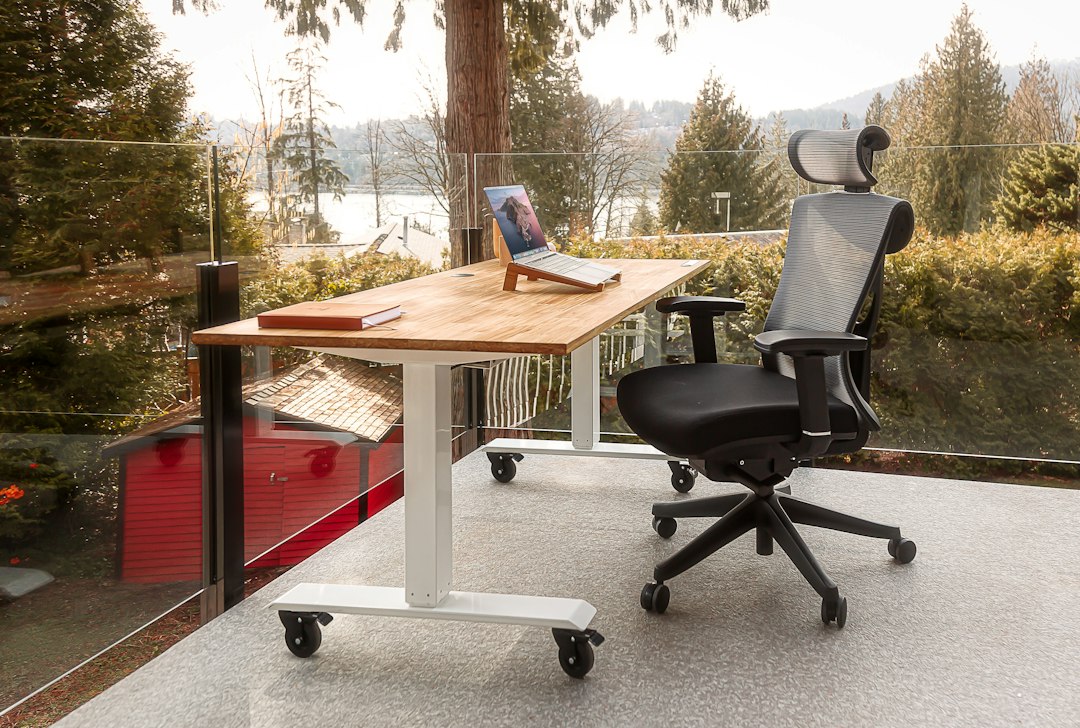
Discover the best ergonomic office chairs for home offices, with buying tips and top Amazon picks for comfort, posture, support, and productivity daily.
Long hours at a kitchen-table setup can turn a productive day into a cycle of stiff shoulders, sore hips, and distracted work. The best ergonomic office chairs do more than look professional: they support neutral posture, reduce pressure on your lower back, and make it easier to stay focused through meetings, writing, gaming, or study sessions. For a home office, the right chair should fit your body, your desk height, and the space you have—not just a photo online. This guide compares standout Amazon-friendly options across premium, midrange, and budget categories, then explains the adjustments that matter most. You will learn how to evaluate lumbar support, seat depth, armrests, recline tension, materials, and weight limits before you buy. We also flag common mistakes, including choosing a chair solely by price or assuming one “ergonomic” label fits everyone. Read on to find a seat that suits your workday, room, and budget.
What Makes an Office Chair Truly Ergonomic?
An ergonomic chair is designed to accommodate your body rather than forcing your body to adapt to the chair. That distinction matters in a home office, where many people sit for six to ten hours with fewer movement breaks than they realize. The best ergonomic office chairs make it simple to maintain a relaxed, upright position with your feet supported, hips slightly above or level with your knees, and shoulders free from strain.
Start with adjustable lumbar support. A supportive backrest should meet the natural inward curve of your lower spine instead of merely feeling padded. Next, look for seat-height adjustment, a backrest with recline resistance, and armrests that can move high enough to support your forearms without lifting your shoulders. Seat depth is equally important: when sitting back, leave roughly two to three fingers of space between the front edge of the seat and the back of your knees.
Ergonomics is not one-size-fits-all. Your height, leg length, desk dimensions, and preferred work posture influence which features will help most. A chair with many adjustments is useful only if its adjustment range suits your body, so review the manufacturer’s measurements and user weight rating before ordering.
Top Ergonomic Office Chair Picks for Home Offices
Herman Miller Aeron is a premium choice for buyers who want an iconic mesh design and extensive fit options. Its breathable suspension material can be especially appealing in warm rooms, while the chair’s posture-focused design supports frequent movement. Because the Aeron is offered in different sizes and configurations, confirm the size guide and included adjustments on the Amazon listing before purchasing. It is a significant investment, but it may suit professionals who spend most of the day seated.
Steelcase Series 2 is a strong mid-to-premium option for users who value flexible back support and a refined task-chair profile. Its responsive back design is intended to move with the user, and many configurations include practical adjustments for everyday desk work. Check the specific listing for armrest style, upholstery, and lumbar features, since sellers may offer different versions.
Branch Ergonomic Chair offers a balanced feature set for many work-from-home setups. Depending on the model and listing, shoppers may find adjustable lumbar support, multiple recline positions, and adjustable armrests at a more accessible price than high-end commercial chairs. It can be a sensible option for buyers who want a cleaner, modern look without giving up core adjustments.
SIHOO M57 is often worth considering in the budget-to-midrange category. Its mesh construction, adjustable headrest on select configurations, and visible lumbar support appeal to shoppers building their first dedicated home office. As with every online chair purchase, compare dimensions closely; a budget chair that fits well is more useful than an expensive chair with the wrong seat depth.
Product availability, colors, warranties, and prices can change. Before committing, review current specifications, recent verified reviews, and return details. If a model fits your needs, use the product listing to check the price and confirm the exact configuration. As an Amazon Associate, I earn from qualifying purchases.
How to Adjust Your Chair for Better Posture
Even an excellent chair can feel uncomfortable when it is adjusted incorrectly. Set seat height first: your feet should rest flat on the floor or on a stable footrest, with your knees near a 90-degree angle. Avoid letting your feet dangle, as this can increase pressure beneath your thighs and make you slide forward.
Then move your hips fully to the back of the chair and position lumbar support at belt-line height, where it gently fills the curve of your lower back. It should feel present but not aggressively push your spine forward. Adjust seat depth so the seat supports most of your thighs without pressing into the back of your knees.
Set armrests so your elbows can rest near your sides while your shoulders remain relaxed. If armrests prevent you from reaching the keyboard comfortably or stop the chair from fitting under the desk, lower them or move them out of the way. Finally, use recline tension rather than locking yourself into a rigid upright angle. A slight recline can reduce spinal loading, particularly during reading, calls, and thinking tasks. Stand up and move at least once every hour; no chair replaces regular movement.
Buying Checklist: Features That Matter Most
Use this practical checklist to compare the best ergonomic office chairs without getting distracted by flashy features. First, verify the chair’s seat-height range against your desk. Standard desks are commonly around 29 inches high, but your keyboard tray, monitor position, and body proportions may require a different setup. A too-high chair often leads to raised shoulders; a too-low chair can make you hunch forward.
- Lumbar support: Adjustable height and depth offer the most flexibility.
- Armrests: Height adjustment is essential; width, depth, and pivot adjustment are valuable upgrades.
- Seat depth: A sliding seat pan is helpful for taller or shorter users.
- Recline: Look for smooth movement and adjustable tension, ideally with several lock positions.
- Materials: Mesh improves airflow, while foam and upholstered seats may feel softer initially.
- Base and casters: Choose wheels appropriate for carpet, hard floors, or a chair mat.
Also measure the chair’s total width and height. A large executive-style chair may overwhelm a compact apartment workspace, while a narrow task chair may not provide enough room or support for larger users. Read return policies carefully because comfort is personal, and allow time for an adjustment period after delivery.
Build a More Comfortable Home Office Around Your Chair
Your chair works best as part of a complete workstation. Position the top of your monitor at or slightly below eye level and about an arm’s length away. Keep the keyboard close enough that you do not reach forward with straight arms, and place the mouse beside it at the same height. If you work on a laptop, use a laptop stand with an external keyboard and mouse whenever possible.
Lighting also affects posture. Screen glare can make you crane your neck or lean toward the monitor, so place windows to the side of your screen when practical. Add a footrest if the best seat-height setting leaves your feet unsupported, and consider a floor mat if chair casters drag or damage your flooring.
Finally, avoid judging comfort only during a five-minute test. The right ergonomic chair for home office work should remain supportive through a full task cycle while still allowing you to shift positions naturally. Pair your chair with small breaks, a well-positioned screen, and a desk at the right height for a setup that supports productive work over the long term.
FAQ
- What is the best ergonomic office chair for long hours?
- The best choice depends on your body size, budget, and adjustment needs. For long workdays, prioritize adjustable lumbar support, seat depth, armrests, recline tension, and a seat-height range that works with your desk. Premium models such as the Herman Miller Aeron can offer extensive fitting options, while midrange chairs may deliver excellent comfort when properly adjusted.
- Is a mesh office chair better than a cushioned chair?
- Mesh chairs are often cooler and can provide a responsive, supportive feel, making them popular in warm home offices. Cushioned chairs may feel softer and can be preferable if you dislike the tension of mesh. Neither material is automatically better; lumbar support, seat shape, adjustability, and overall fit matter more than upholstery alone.
- Do ergonomic chairs help with back pain?
- A properly fitted ergonomic chair may reduce discomfort associated with poor sitting posture by supporting the lower back and helping you avoid sustained awkward positions. However, it is not a medical treatment. Persistent, severe, or worsening back pain should be discussed with a qualified healthcare professional, and regular movement remains important.
- Should I buy an office chair from Amazon?
- Amazon can be convenient for comparing models, reading recent reviews, and reviewing delivery options. Check the seller, warranty terms, return window, dimensions, and whether the listing includes the adjustments you expect. Before you buy, check the price, review the configuration, and confirm that the chair is appropriate for your height and workspace.
Conclusion
Choosing the best ergonomic office chairs is less about finding the most expensive model and more about finding reliable support that matches your body and workstation. Begin with the non-negotiables: suitable seat height, effective lumbar support, comfortable seat depth, and armrests that let your shoulders relax. Then decide which upgrades matter for your work style, such as breathable mesh, a headrest, advanced recline controls, or highly adjustable arm pads. Premium choices like the Herman Miller Aeron and Steelcase Series 2 can be worthwhile for demanding daily use, while the Branch Ergonomic Chair and SIHOO M57 may offer strong value for a new or smaller home office. Measure your space, compare specifications, and read current return details before ordering. Once your chair arrives, spend a few minutes adjusting it correctly rather than using factory settings. Ready to improve your workday? Compare the models that fit your budget, check the price, and choose the supportive seat your home office deserves.
— Enjoyed this? Pass it on
— Want to build your own?
Publish articles like this in 90 seconds.
The whole terminal — AI writer, PA-API sync, refresh radar, auto-tweets — free for the first 3 articles.
Try for free