— amazon · Home Office
Best Adjustable Laptop Stands for a Healthier Home Office
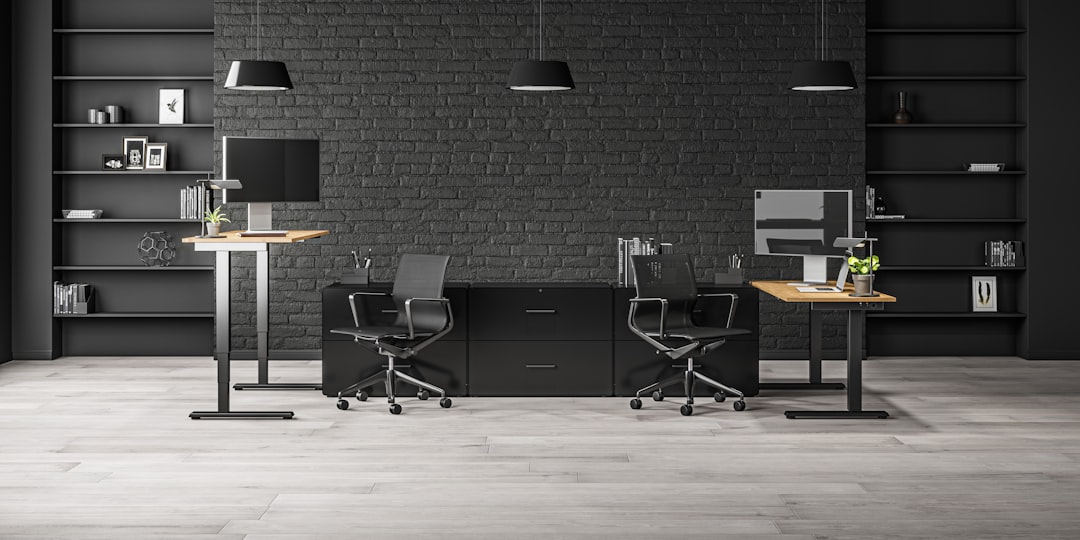
Find adjustable laptop stands for your home office. Compare height, stability, portability, and setup tips for a more comfortable, ergonomic desk setup.
A laptop is convenient, but working from one at desk height often means looking down for hours. That small daily habit can leave your neck, shoulders, and upper back feeling strained by the end of the workday. Adjustable laptop stands offer a simple home office upgrade: they raise the display closer to eye level, improve usable desk space, and help create a more intentional workstation. The best option is not necessarily the tallest or most expensive model. It should fit your laptop size, desk depth, typing preferences, and work style. Some people need a lightweight folding stand for travel, while others benefit from a heavy aluminum riser that stays in one place. This guide explains how to choose adjustable laptop stands, which features matter most, and how to build an ergonomic setup that supports focused, comfortable work.
Why Adjustable Laptop Stands Matter for Home Office Ergonomics
Adjustable laptop stands lift the screen so you can reduce the downward bend in your neck. For many home office workers, the practical goal is to position the top portion of the display around eye level while sitting upright. This encourages a more neutral viewing angle and can make long video calls, writing sessions, and spreadsheet work feel less cramped.
A raised laptop also creates better desk organization. The space underneath can hold a keyboard, notebook, dock, or small accessories when the stand is not in use. Better airflow is another benefit: an open-frame design allows heat to dissipate more easily than placing a laptop flat on a desk or soft surface.
However, lifting a laptop changes the keyboard height as well. If you raise your screen significantly, pair the stand with an external keyboard and mouse. This separates screen placement from hand placement, allowing your elbows to stay near a comfortable 90-degree angle. For occasional use, a lower height adjustable laptop stand may still work well for typing directly on the laptop.
How to Choose the Right Height, Size, and Angle
Start with your desk and chair rather than shopping by appearance alone. Sit naturally, place your feet flat on the floor or a footrest, and measure the distance from the desktop to your eye line. Then consider the height of your laptop screen. A stand with multiple height settings gives you room to fine-tune the display without raising your chair excessively.
Check the stand's listed compatibility range and weight limit. Most models support common 11-inch to 17-inch laptops, but larger workstations and heavier gaming laptops need a wider base and stronger hinges. A stable platform should have anti-slip pads on both the tray and the feet. These details prevent sliding and reduce vibration while you type or tap the screen.
Angle adjustment matters, too. A tilted tray can improve viewing comfort and create a more natural typing angle at lower heights. At taller settings, use an external keyboard instead of reaching upward to type. Leave enough room between the stand and your face for comfortable viewing, and make sure your webcam is not blocked by the tray edge or laptop lid.
Finally, consider your work pattern. If you move between rooms, choose a portable laptop riser that folds flat. If your workstation remains in one location, prioritize rigidity, a broad base, and quick adjustment controls over ultra-light weight.
Materials and Stability Features Worth Paying For
Aluminum is a popular choice for an ergonomic laptop stand because it is durable, visually clean, and often provides a solid feel without taking up much room. Steel stands can be even sturdier, although they may weigh more. Plastic models are commonly lighter and more affordable, but their stability depends heavily on hinge quality, base width, and the thickness of the support arms.
Look closely at the adjustment mechanism. Fixed-height risers are simple and exceptionally stable, while hinged stands provide more flexibility. On folding models, firm joints are essential; loose hinges can allow a laptop to bounce when you type. A crossbar, dual support arms, or a wide triangular base generally adds confidence when using a heavier device.
Ventilation should not be overlooked. Open designs and raised support rails expose more of the laptop's underside than a solid tray. That can be helpful during demanding tasks, although it is not a substitute for cleaning vents or using your laptop on a hard, flat surface. Silicone pads are equally useful because they protect the laptop finish and help stop the stand from moving across a smooth desk.
Popular Adjustable Laptop Stand Styles to Compare
The right stand style depends on whether you value portability, premium desk aesthetics, or maximum range of motion. A folding Z-style stand is typically the most flexible option. It can raise a laptop high enough for external keyboard use and collapses for storage, making it practical for hybrid work. Choose one with a broad base and clearly stated weight capacity.
For a permanent desk, an aluminum desktop riser offers a clean, sturdy solution. The Rain Design mStand is a well-known example of a fixed-height aluminum design. It suits users who already know their preferred screen level and want minimal setup. Because it is not height adjustable, it is best for desks and chairs that are already well matched.
A lightweight folding option such as the Nexstand K2 can be useful for remote workers who want an elevated screen in a backpack-friendly format. Its design is intended for use with a separate keyboard and mouse, especially when raised toward eye level. Before buying, confirm that its adjustment range works with your laptop's display height.
For lower, compact desktop use, a model like the Lamicall laptop stand may suit users who primarily want a slight screen lift and improved airflow. This category is often convenient for smaller desks, but it may not provide the screen height needed for a fully ergonomic external-keyboard setup.
Amazon listings can change in price, finish, included accessories, and stock status. Read the current specifications, customer feedback, and return details before purchasing. If a model matches your needs, use the product listing to check the price and verify compatibility with your laptop.
Affiliate disclosure: As an Amazon Associate, this site may earn from qualifying purchases. This does not change the price you pay.
Set Up Your Laptop Stand for Comfortable All-Day Work
After choosing a stand, take five minutes to set it up correctly. Center the laptop in front of you instead of off to one side. Raise the screen until your eyes naturally meet the upper third of the display, then tilt it slightly to reduce glare from windows or overhead lights. Keep the screen about an arm's length away, adjusting based on text size and vision needs.
At medium or high stand settings, place an external keyboard directly in front of you and keep your mouse close beside it. Your shoulders should remain relaxed rather than reaching forward. If your chair cannot lower enough after raising the screen, add a footrest or firm box under your feet rather than letting your legs dangle.
Small routine changes complement your equipment. Alternate between sitting and standing if your workspace allows, take brief visual breaks, and change position regularly. Adjustable laptop stands are useful tools, but no single accessory replaces movement, sensible monitor placement, and a desk layout that fits your body.
FAQ
- Are adjustable laptop stands good for posture?
- They can support better posture by raising the screen and reducing the need to look downward. For the best result, use an external keyboard and mouse when the laptop is raised high enough that its built-in keyboard is no longer at a comfortable typing height.
- What height should an adjustable laptop stand be?
- The ideal height places the upper part of the screen near eye level while you sit with relaxed shoulders. Because laptop screen sizes and chair heights vary, a stand with several height settings is usually the most adaptable choice.
- Can I type directly on a laptop while it is on a stand?
- Yes, at a low tilt or low elevation, provided the stand remains stable. At higher elevations, typing directly on the laptop can raise your wrists and shoulders, so an external keyboard and mouse are typically more comfortable.
- Do laptop stands work with large 17-inch laptops?
- Many do, but always check the manufacturer's stated size and weight limits. For a 17-inch laptop, choose a wide platform, anti-slip contact points, strong hinges, and a substantial base to prevent wobble.
Conclusion
The best adjustable laptop stands make a home office feel more deliberate without requiring a full desk overhaul. Start by deciding whether you need a travel-friendly folding model, a low desktop lift, or a sturdy stand that raises your screen for use with an external keyboard. Then compare height range, laptop compatibility, base stability, materials, and the adjustment mechanism. A stand that is comfortable for a few minutes but wobbles during daily typing will quickly become frustrating, so stability deserves as much attention as portability. Once your screen is raised, complete the setup with a mouse, keyboard, and sensible cable placement. Review the current product specifications and customer feedback, then check the price on the option that fits your workstation. A well-matched laptop stand is a practical investment in a tidier desk and a more comfortable workday.
— Enjoyed this? Pass it on
— Want to build your own?
Publish articles like this in 90 seconds.
The whole terminal — AI writer, PA-API sync, refresh radar, auto-tweets — free for the first 3 articles.
Try for free