— amazon · Home Office
Best Adjustable Laptop Stands for a Better Home Office
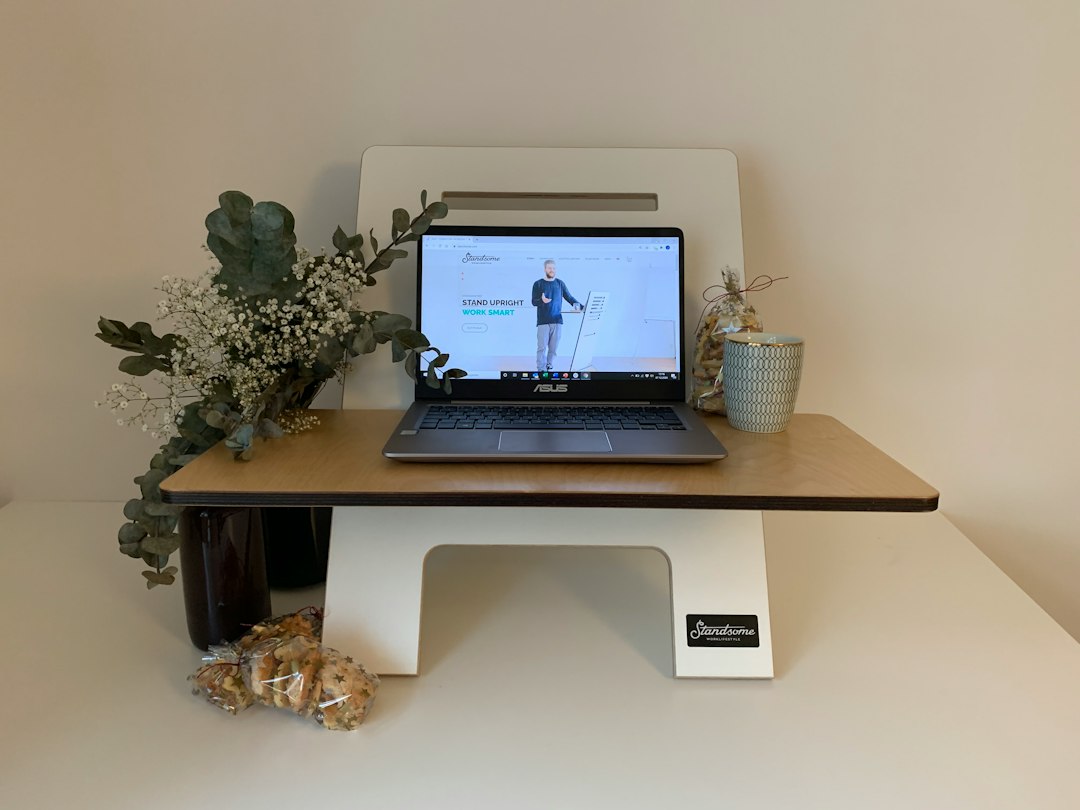
Discover the best adjustable laptop stands for a healthier home office, better posture, and cooler performance. Compare types and choose with confidence.
An uncomfortable laptop setup can quietly undermine an otherwise productive workday. Looking down at a screen for hours may leave your neck stiff, your shoulders tense, and your desk feeling far more cluttered than it should. Adjustable laptop stands offer a simple home office upgrade: they raise your display closer to eye level, create useful desk space, and often improve airflow around your device. Whether you work remotely every day, use a laptop alongside an external monitor, or need a flexible setup for a kitchen table workspace, the right stand can make a noticeable difference. This guide explains how adjustable laptop stands work, which features matter most, and how to choose one that fits your laptop, desk, budget, and routine. We will also compare common styles, from sturdy aluminum desktop models to compact folding options made for travel.
Why Adjustable Laptop Stands Matter in a Home Office
A laptop is convenient because it combines a screen, keyboard, trackpad, camera, and battery in one compact device. The downside is that its screen and keyboard are attached. When the keyboard is at a comfortable typing height, the screen usually sits too low. When the screen is raised, the keyboard can become awkward to use for long sessions.
Adjustable laptop stands solve the display-height problem by lifting and tilting the computer. A well-positioned screen can encourage a more upright viewing angle and reduce the habit of hunching toward the desk. For the best ergonomic result, pair a raised laptop with an external keyboard and mouse. This lets you place the screen at a comfortable height while keeping your hands and wrists in a natural typing position.
These stands also help organize a home office. An elevated laptop creates room beneath the device for a keyboard, notebook, docking hub, or small accessories. Open-frame designs can improve ventilation, which is especially useful during video calls, editing work, or other demanding tasks that make a laptop run warm.
The goal is not to create a complicated workstation. It is to make your existing desk more adaptable. Even a simple adjustable laptop stand can turn a temporary workspace into a more comfortable daily setup.
Types of Adjustable Laptop Stands to Consider
Not all adjustable laptop stands are built for the same kind of user. Understanding the main styles makes it easier to avoid buying a stand that looks good online but does not suit your desk or workflow.
Aluminum desktop stands are among the most popular choices. A quality aluminum laptop stand is typically stable, durable, and suitable for regular work at a fixed desk. Many models use a Z-shaped, hinged, or folding frame that offers multiple height and angle positions. Look for silicone pads on the tray and base to help prevent slipping and scratches.
Folding travel stands prioritize portability. A portable laptop riser often folds flat enough to fit in a backpack or laptop sleeve. These designs can be excellent for coworking spaces, hotels, classrooms, or hybrid work, although very lightweight models may provide less stability when you type directly on the laptop.
Ventilated mesh stands are useful for users concerned about airflow. Some include built-in fans, while others use an open mesh platform. A fan is not essential for every laptop, but a stand that leaves vents unobstructed is generally a smart choice.
Monitor-arm laptop trays offer the greatest adjustability. They attach to a desk-mounted arm and can raise, tilt, swivel, and reposition a laptop much like a monitor. They are ideal for more permanent workstations, especially when you need to switch between sitting and standing positions.
How to Choose the Best Height Adjustable Laptop Stand
Before purchasing a height adjustable laptop stand, start with compatibility. Check the manufacturer’s supported laptop size and weight range. Most stands handle common 11- to 16-inch laptops, but larger gaming laptops, older models, and workstation-class devices can be significantly heavier. A stand should support your computer securely without sagging, wobbling, or placing pressure on its hinges.
Adjustment range is the next priority. A stand with several height and tilt settings gives you more flexibility as your chair, desk, and posture change. If you are tall or use a low desk, choose a model that can raise the screen substantially. If you mainly want a slight lift for better airflow and desk organization, a lower profile may be enough.
Stability matters more than an impressive-looking mechanism. Look for a broad base, strong hinges, non-slip feet, and a platform with raised front lips or protective hooks. Read customer reviews for comments about shaking during typing, especially if you do not plan to use an external keyboard.
Desk footprint is easy to overlook. Measure the available depth and width on your desk before ordering. Some folding stands look compact in photos but require considerable space when opened. If your workspace is small, select a laptop stand for desk use that provides lift without overwhelming the surface.
Finally, consider your routine. A sturdy desktop model is usually best for daily remote work. A lightweight folding stand is better for travel. If you frequently alternate between locations, owning one of each can be more practical than compromising on a single design.
Features Worth Paying For—and Features You Can Skip
The most useful features are usually straightforward. Solid construction, reliable hinges, protective silicone padding, and a wide adjustment range deliver more everyday value than flashy extras. Metal stands often cost more than plastic options, but they can feel more secure and may better support heavier laptops.
A ventilated platform is valuable if your laptop has bottom-mounted air vents. Open designs allow heat to dissipate without blocking airflow. However, be cautious with stands that cover large portions of the laptop base or grip the device tightly around vent areas.
Foldability is worth paying for if you work from multiple locations. Check folded dimensions and weight rather than assuming a stand is travel-friendly. A product described as foldable may still be too bulky for a small bag.
Rotating bases can be convenient for sharing a screen during meetings or moving your device between work zones. Cable-management slots may also help keep chargers and USB cables tidy. Neither feature is necessary, but both can improve a dedicated home office setup.
Be skeptical of exaggerated posture or productivity promises. A stand is a helpful tool, not a complete ergonomic solution. Your chair height, desk height, keyboard placement, breaks, and screen distance all affect comfort. Choose practical features that match your actual working habits, then check the price and reviews before making a final decision.
Setting Up Your Laptop Stand for Everyday Comfort
Once your adjustable laptop stand arrives, take a few minutes to set it up intentionally. Begin by placing the stand on a firm, level surface. Position the laptop so its vents, ports, and charging cable remain accessible. Confirm that the front edge rests securely against the stand’s retaining lip and that the base does not rock when you touch the screen.
Raise the display gradually until the top third of the screen is near your natural eye line when sitting upright. This is a useful starting point, not a strict rule. Your ideal position may vary based on vision needs, chair height, and desk dimensions. Tilt the screen slightly if needed to reduce glare from windows or overhead lights.
For work sessions longer than an hour, use an external keyboard and mouse whenever possible. Place them close enough that you do not reach forward with your shoulders. Keep frequently used items, such as a notebook or phone, within easy reach to avoid repeatedly twisting or stretching.
If you work from a dining table or other temporary surface, choose a portable laptop riser that opens quickly and stores away easily. For a permanent workstation, a heavier adjustable laptop stand with a stable base is generally the better investment. As an Amazon Associate, this site may earn from qualifying purchases, at no extra cost to you.
FAQ
- Are adjustable laptop stands worth it?
- Adjustable laptop stands are worth considering if you spend regular time working, studying, or attending video calls on a laptop. They can raise the display, free desk space, and make it easier to create a more comfortable workstation. For longer work sessions, combine the stand with an external keyboard and mouse.
- What height should an adjustable laptop stand be?
- The best height depends on your chair, desk, body proportions, and screen size. As a starting point, raise the laptop so the top third of the display is close to eye level while you sit upright. Adjust from there to reduce the need to bend your neck or crane your head.
- Can I type directly on a laptop stand?
- You can type directly on many sturdy stands, especially lower-angle models with strong hinges and a broad base. However, typing on a raised platform may cause screen movement and can be less comfortable over long periods. An external keyboard is usually the better choice when the laptop is elevated.
- Will an aluminum laptop stand fit a large laptop?
- Many aluminum laptop stand models support laptops up to 15.6 or 16 inches, but you should always verify the listed weight capacity, platform width, and supported size range. Large gaming laptops may need a wider, heavier-duty stand with strong anti-slip pads and a stable base.
Conclusion
The best adjustable laptop stands make a home office more flexible without requiring a full desk redesign. Start by deciding whether you need maximum stability, compact portability, extra ventilation, or a wide range of height adjustments. Then confirm that your preferred stand supports your laptop’s size and weight, fits your available desk space, and includes non-slip protection. A sturdy aluminum model can be an excellent choice for a permanent workstation, while a lightweight folding design is ideal for remote workers who move between rooms, offices, and travel destinations. Remember that a raised laptop works best with an external keyboard and mouse for longer sessions. Compare current options, read verified customer feedback, and check the price on a model that matches your routine. A small upgrade today can help create a cleaner, more adaptable, and more comfortable workspace every day.
— Enjoyed this? Pass it on
— Want to build your own?
Publish articles like this in 90 seconds.
The whole terminal — AI writer, PA-API sync, refresh radar, auto-tweets — free for the first 3 articles.
Try for free