— amazon · Home Office
Best Adjustable Laptop Stands for a Better Home Office
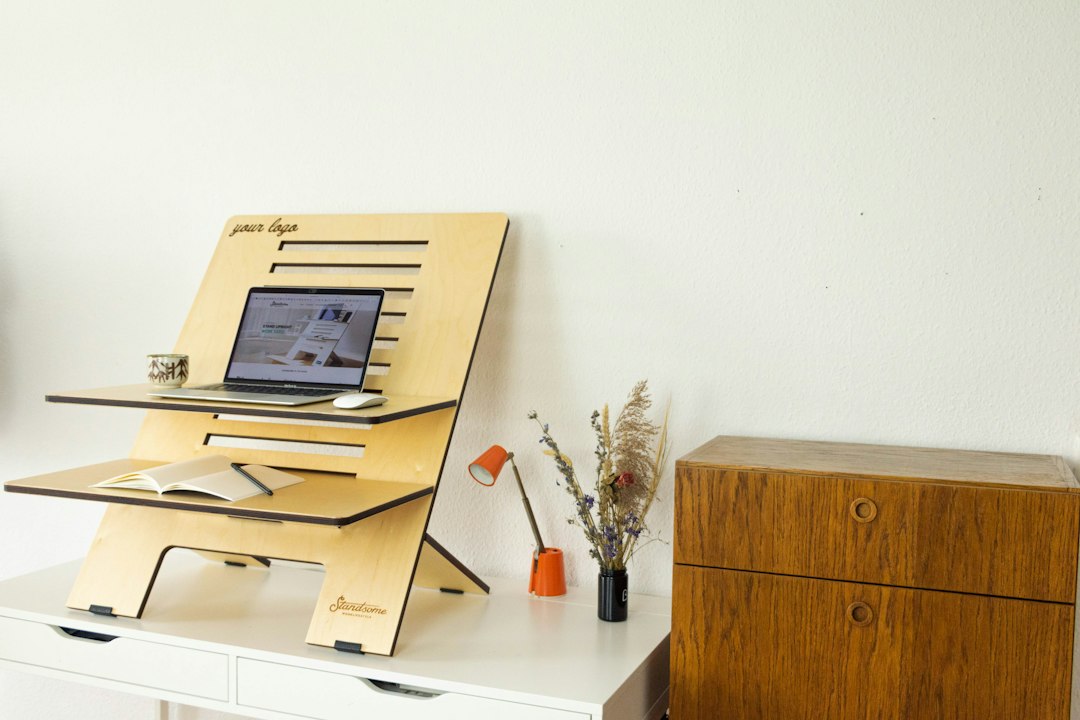
Find the best adjustable laptop stands for a healthier home office. Compare height, stability, cooling, and portable options before you buy online today.
An uncomfortable laptop setup can quietly derail an otherwise productive workday. Looking down at a low screen for hours may contribute to neck tension, rounded shoulders, eye strain, and a cluttered desk routine. Adjustable laptop stands offer a simple, affordable way to raise your display closer to eye level while creating a more flexible home office. Whether you work from a permanent desk, a kitchen table, a coworking space, or the sofa, the right stand can improve posture and make your workstation feel more intentional. The best adjustable laptop stands balance height range, stability, portability, ventilation, and compatibility with your device size. This guide explains what to look for, which styles suit different workers, and how popular Amazon options compare. As an Amazon Associate, this site may earn from qualifying purchases at no extra cost to you. Read on to find a stand that supports your laptop and your workday.
Why Adjustable Laptop Stands Matter for Home Office Ergonomics
A laptop is designed for portability, not necessarily for all-day desk comfort. When the keyboard and screen are attached, users often choose between looking down at the display or raising the laptop and typing with elevated wrists. An adjustable stand solves the screen-height problem by lifting the display, while an external keyboard and mouse create a more comfortable input position.
For most home office setups, aim to position the top third of the screen near eye level. The ideal height depends on your chair, desk, torso length, and monitor habits, so a fixed riser is not always enough. Adjustable laptop stands let you fine-tune the angle and elevation instead of forcing your body to adapt to the desk.
They can also improve workflow. Raising a laptop frees desk space below the device for a notebook, docking station, keyboard, or charging accessories. Open-frame models may encourage airflow around the laptop base, while foldable designs make it easier to maintain the same ergonomic setup when working away from home. For the best results, pair your stand with a separate keyboard, mouse, and—if needed—a webcam placed closer to eye level.
Comfort should not be confused with a medical guarantee. A stand cannot fix every posture issue, but it can make healthy workspace adjustments easier to maintain throughout the day.
What to Look for in Adjustable Laptop Stands
Before choosing among adjustable laptop stands, start with the measurements and habits that matter most in your workspace. A premium model is not automatically the best option if it does not fit your laptop, desk depth, or travel routine.
- Height range: Check the minimum and maximum lift, not just the number of adjustment positions. Taller users and sit-stand desk owners usually benefit from a stand with a generous upper range.
- Stability: Look for a broad base, firm hinges, non-slip silicone pads, and a stated weight capacity that exceeds your laptop's weight. Stability is especially important when using a larger 15- to 17-inch model.
- Compatibility: Confirm the supported laptop size and make sure the front ledge will not block essential ports or interfere with your wrist position.
- Adjustment style: Z-style and hinged stands offer flexible angles, while telescoping stands provide clear vertical elevation. Portable folding stands often have fewer height settings but travel more easily.
- Materials: Aluminum often offers a solid feel and useful heat dissipation. Reinforced plastic can be lighter and more affordable. Either can work well when the structure is stable.
- Portability: If you switch locations frequently, prioritize a low folded profile, manageable weight, and a carrying sleeve.
Also consider your desk surface. A highly adjustable stand can be awkward on a shallow desk if its base consumes too much room. Measure first, then select the design that supports your normal working position rather than an occasional setup.
Best Types of Adjustable Laptop Stands for Different Needs
The right laptop stand for desk use depends on whether your priority is maximum height, a minimalist appearance, travel convenience, or heavy-duty stability. These common categories make comparison easier.
Aluminum desktop stands
Aluminum adjustable stands are popular for permanent home office desks. They usually feature a weighted base, padded contact points, and one or two hinged arms for changing screen height and tilt. This style works well for professionals using a laptop as their primary computer alongside an external keyboard and mouse. Look for a model with smooth but firm joints so the screen does not sag over time.
Portable folding stands
A portable laptop stand is ideal for commuters, students, and hybrid workers. Many fold nearly flat and fit inside a backpack sleeve. The trade-off is that lighter stands may have less height range and can flex more under larger laptops. The Nexstand K2 is a well-known example of a lightweight folding design with multiple height options, making it worth considering for people who frequently work in different places.
Premium travel stands
For frequent travelers who want a stronger, more refined folding frame, the Roost Laptop Stand is often considered a premium portable option. Its elevated design can be useful when you need a higher screen position from a compact setup. Because premium stands can cost more than basic alternatives, compare build quality, folded size, and the height you actually need before deciding.
Ventilated mesh and open-frame stands
These models lift the laptop while leaving much of the underside exposed. They are useful for users concerned about airflow, although a stand should not replace normal laptop maintenance or manufacturer guidance. Open designs are often lighter, but the most skeletal versions may be less stable when typing directly on the laptop.
When comparing any model on Amazon, review current specifications, customer feedback, return terms, and compatibility details. Product availability and configurations can change, so it is smart to check the price and confirm the listing before purchasing.
How to Set Up Your Laptop Stand Correctly
Buying an ergonomic laptop stand is only the first step. Correct placement determines whether it improves your workstation or simply moves the discomfort elsewhere.
- Set your chair first. Sit with your feet supported and your back comfortably supported. Adjust chair height before changing the stand.
- Raise the display. Place the laptop on the stand and bring the screen up until your gaze naturally lands around the upper third of the display. A slight downward viewing angle is normal.
- Add external input devices. Position a separate keyboard so your elbows stay near your sides and your shoulders remain relaxed. Keep the mouse close enough that you do not reach forward repeatedly.
- Center the screen. Align the laptop with your body rather than turning your neck toward it. If you use a second monitor, place the screen you use most directly in front of you.
- Control glare. Adjust the laptop tilt and room lighting to avoid reflections. Avoid placing the display directly in front of a bright window when possible.
- Reassess weekly. Your ideal height may change with different chairs, shoes, desks, or work locations. Small adjustments are one of the key benefits of adjustable laptop stands.
If you often type directly on the laptop, choose a lower, more stable setting rather than raising it to full monitor height. For longer work sessions, an external keyboard and mouse are generally the more adaptable solution.
Choosing the Best Value Without Overbuying
Price ranges for adjustable laptop stands can vary widely. Basic folding risers are often sufficient for occasional use, while heavier desktop models may be a better long-term value for someone working from home every day. The goal is not to buy the most expensive stand; it is to buy one that remains stable, fits your laptop, and supports your real workflow.
For a dedicated desk, prioritize a sturdy base and reliable adjustment mechanism over ultra-light weight. For travel, prioritize folded size, setup speed, and a carrying-friendly design. For larger laptops, pay close attention to the stated capacity and the width of the support arms. If your laptop has bottom vents, choose a design that does not cover them unnecessarily.
Read recent reviews with a practical filter. Comments about hinge durability, wobble, slipping pads, laptop fit, and setup difficulty are more useful than vague ratings alone. Photos from verified buyers can also reveal whether a stand is proportioned well for a 13-inch ultrabook versus a heavier 16-inch workstation.
Finally, remember to budget for the complete setup. A stand works best with a keyboard and mouse, and some users may want a USB-C hub, external monitor, or desk mat. Choose the stand that removes your biggest friction point today while leaving room for your home office to evolve.
FAQ
- Are adjustable laptop stands worth it?
- Yes, adjustable laptop stands can be worthwhile for anyone who regularly works on a laptop. They make it easier to raise the screen, reclaim desk space, and create a more repeatable workstation. For extended work, pair the stand with an external keyboard and mouse for better flexibility.
- What height should a laptop stand be?
- The best height places the display so your eyes naturally look toward the upper third of the screen, usually with a slight downward gaze. Your ideal setting depends on your chair, desk, body proportions, and whether you use an external keyboard.
- Can I type on a laptop while it is on a stand?
- You can type on many sturdy stands at lower angles, but elevated typing may strain your wrists and can make lighter stands wobble. For longer sessions, use a separate keyboard and mouse while the laptop sits higher on the stand.
- Do laptop stands help with overheating?
- An open-frame or ventilated stand may improve airflow around the underside of some laptops, but results depend on the device design and workload. Keep vents clear, use the laptop on a stable hard surface, and follow the manufacturer's care guidance.
Conclusion
The best adjustable laptop stands make a home office more comfortable without requiring a complete desk overhaul. Start by deciding how and where you work most often. A sturdy aluminum model is a strong choice for a permanent desk, while a folding option such as the Nexstand K2 can suit hybrid work and travel. If premium portability matters most, compare the Roost Laptop Stand with other compact designs based on height range and stability. Focus on fit, build quality, adjustment range, and your laptop's size rather than choosing solely on price. Once your stand arrives, take a few minutes to set your chair, screen, keyboard, and mouse positions correctly. That small setup effort can make daily work feel more organized and less restrictive. Ready to improve your workstation? Review current options on Amazon, read recent buyer feedback, and check the price on the stand that matches your routine.
— Enjoyed this? Pass it on
— Want to build your own?
Publish articles like this in 90 seconds.
The whole terminal — AI writer, PA-API sync, refresh radar, auto-tweets — free for the first 3 articles.
Try for free