— amazon · Home Office
Best Adjustable Laptop Stands for a Better Home Office
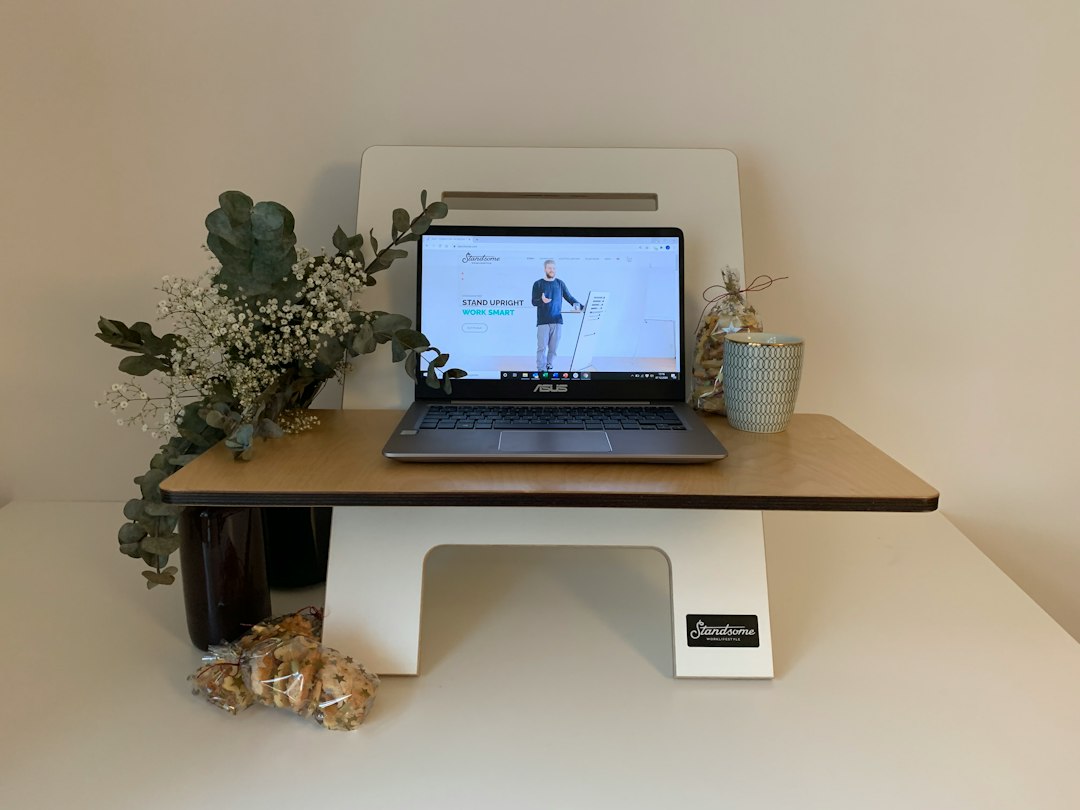
Find the best adjustable laptop stands for a healthier, more organized home office. Compare features, fit, stability, and buying tips before you shop today.
An uncomfortable laptop setup can quietly undermine an otherwise productive workday. Looking down at a low screen for hours may encourage a hunched posture, leave your neck feeling stiff, and make even a well-designed home office feel cramped. Adjustable laptop stands offer a straightforward solution: they lift your display closer to eye level, free up usable desk space, and can create a more flexible workstation for work, study, video calls, or travel. The best choice is not necessarily the tallest or most expensive model. It should fit your laptop size, desk depth, preferred typing style, and daily routine. Some people need a sturdy aluminum riser for a permanent desk; others need a folding stand that slips into a backpack. This guide explains how to compare adjustable laptop stands, identify the features that matter most, and choose a model that supports a more comfortable, organized home office.
Why Adjustable Laptop Stands Improve a Home Office
Adjustable laptop stands are designed to raise and angle a laptop so the screen sits in a more natural viewing position. For many home office users, that simple elevation makes the desk feel more intentional and less like a temporary workstation. A raised laptop can also create room underneath for a notebook, keyboard, docking hub, or other small essentials.
The biggest benefit is flexibility. Unlike a fixed laptop riser for desk use, an adjustable model lets you fine-tune height and tilt based on your chair, desk, body position, and monitor setup. This is especially useful in shared spaces where the same desk is used by more than one person. If you alternate between sitting and standing, you may also appreciate a stand with a wider height range.
For the most ergonomic arrangement, position the top portion of your laptop screen near eye level when practical. If raising the laptop makes its built-in keyboard uncomfortable to use, pair the stand with an external keyboard and mouse. This allows you to place the display higher while keeping your hands in a relaxed typing position. A good ergonomic laptop stand is not a replacement for regular movement, but it can make your work posture easier to maintain throughout the day.
Many aluminum stands also improve airflow around the bottom of a laptop. While a stand cannot solve every heat issue, keeping vents unobstructed may help during video meetings, multitasking, and other demanding tasks.
How to Choose the Best Adjustable Laptop Stand
Start with compatibility. Check the manufacturer's stated size and weight capacity, then compare it with your laptop. Most stands accommodate common 11- to 16-inch laptops, but larger gaming laptops and older, heavier models need a particularly stable base. A stand that looks sleek but flexes under weight will be frustrating during daily use.
Next, consider the adjustment mechanism. A folding portable laptop stand often uses notched height settings, which are quick to change and easy to pack. A hinge-based model may offer smoother angle adjustments and a cleaner look for a permanent desk. Some premium designs use a lift arm or dual-hinge structure for greater height, though these can occupy more space and cost more.
Stability should be a priority. Look for a broad base, non-slip silicone pads, secure hinges, and a platform wide enough to support the laptop without wobbling. If you type directly on the laptop keyboard, choose a stand specifically described as stable for typing. Lightweight travel stands are convenient, but they may move more when you press the keys.
Also measure your desk. A tall stand can push the screen farther away, so a shallow desk may limit how comfortably you can position it. Consider cable routing as well. Open-frame designs generally make it easier to connect chargers, external displays, and USB hubs without creating a cluttered workspace.
Finally, decide whether portability matters. A compact folding model is ideal for commuting and working from cafés, while a heavier aluminum adjustable laptop stand is usually better for a dedicated home office. Choosing based on your actual routine prevents paying for features you will rarely use.
Popular Types of Adjustable Laptop Stands
Aluminum desktop stands: These are popular for stationary desks because they tend to feel solid, support more weight, and complement modern home office accessories. Models such as the Rain Design mStand are well known for their clean metal construction, although buyers should confirm whether a specific version offers the amount of height adjustment they need. Aluminum stands are a strong choice when appearance, durability, and stability matter more than portability.
Folding multi-angle stands: A model such as the Nulaxy C5 represents the common folding-style category. These stands generally provide multiple height and angle positions, silicone contact points, and a compact profile for travel. They are useful for people who move between rooms or work from several locations during the week. Before buying, check the stand's folded dimensions and maximum supported laptop size.
Ventilated plastic or mesh stands: These lightweight options can be budget-friendly and may offer good airflow. They are often suitable for occasional use, student desks, or a secondary workstation. However, inspect the support arms and locking points carefully, especially if you use a large laptop.
Monitor-arm laptop trays: For advanced home office setups, a laptop tray attached to a monitor arm can provide the widest range of movement. This option works well beside an external monitor, but it requires a compatible arm and enough desk clearance. It is usually best for users building a long-term workstation rather than a simple grab-and-go setup.
When comparing any style, read current product details and reviews on Amazon. Features, included accessories, available colors, and pricing can change, so it is smart to check the price and confirm the latest specifications before making a decision.
Set Up Your Laptop Stand for Better Ergonomics
Even the best adjustable laptop stands need proper positioning. Begin by placing the stand in the center of your primary work area. Raise the screen gradually until you can view it without constantly bending your neck. Keep the display roughly an arm's length away, then adjust based on screen size, eyesight, and desk depth.
If you work for long stretches, an external keyboard and mouse are highly recommended. Raising the laptop while continuing to type on its built-in keyboard can elevate your arms too much, especially on taller stands. A separate keyboard lets you keep your elbows near your sides and your wrists in a neutral position. For video calls, center the camera at a flattering, eye-level angle and ensure the stand does not block webcam access.
Pay attention to your chair and lighting too. Your feet should rest comfortably on the floor or a footrest, and direct glare should not hit the display. If your laptop connects to a monitor, use the stand to position the laptop as a secondary screen at a similar height. This reduces repeated head turning and creates a more balanced dual-screen layout.
Remember that ergonomics is personal. Make small adjustments over several days rather than assuming one setting works perfectly. If a position causes shoulder tension, wrist pressure, or screen glare, lower the stand, change the tilt, or move the keyboard. The goal is a setup that feels sustainable, not merely one that looks organized.
Amazon Shopping Tips and Affiliate Disclosure
When shopping on Amazon, filter choices by laptop size, material, portability, and customer ratings, but do not rely on ratings alone. Read recent reviews from people using laptops similar in size and weight to yours. Look for comments about wobble, hinge durability, non-slip pads, desk footprint, and whether the stand remains stable while typing.
Product photos can be helpful, but dimensions are more reliable. Compare the platform width with your laptop base and make sure the stand's lowest setting will work with your desk. If you plan to use a protective laptop case, allow extra space because thick cases can affect fit on narrow support arms.
Amazon listings may include variations with different finishes, sizes, or feature sets. Verify the exact option selected before checkout. It is also wise to review return policies in case the height range or stability does not suit your workspace after testing.
Affiliate disclosure: As an Amazon Associate, this site may earn from qualifying purchases. This does not change the price you pay, and recommendations should always be evaluated according to your individual workspace needs. If a model matches your requirements, you can use a product link to check the price, review current availability, and compare buyer feedback.
FAQ
- Are adjustable laptop stands good for posture?
- Adjustable laptop stands can support better posture by lifting the screen closer to a comfortable viewing height. For the best result, use an external keyboard and mouse when the laptop is raised significantly, and take regular movement breaks.
- Can I type directly on an adjustable laptop stand?
- You can type directly on some sturdy models, particularly low-angle aluminum stands with wide bases and secure hinges. However, taller or lightweight folding stands may wobble during typing. Check reviews and choose an external keyboard for maximum comfort.
- What size laptop fits a portable laptop stand?
- Many portable laptop stand models support laptops between 11 and 16 inches, but capacity varies by design. Always verify the listed dimensions and weight limit, especially for large gaming laptops, workstation laptops, or devices used with thick protective cases.
- Is an aluminum adjustable laptop stand worth it?
- An aluminum adjustable laptop stand is often worth considering for a permanent desk because it typically offers a stable feel, durable construction, and a polished appearance. A folding plastic stand may be the better value if travel and low weight are your top priorities.
Conclusion
The right adjustable laptop stand can make a meaningful difference in how your home office looks and feels. By lifting your screen, reducing desk clutter, and creating more flexibility around your work position, it supports a setup that is easier to use day after day. Focus first on stability, laptop compatibility, usable height range, and whether you need a portable or permanent solution. A compact folding model may be perfect for hybrid work, while a solid aluminum design can be a better fit for a dedicated desk. Do not forget the complete setup: an external keyboard, mouse, supportive chair, and sensible screen placement can amplify the benefits of your stand. Compare current specifications, read recent buyer feedback, and check the price on models that suit your laptop and workspace. With a thoughtful choice, your laptop can become the center of a more comfortable, productive home office.
— Enjoyed this? Pass it on
— Want to build your own?
Publish articles like this in 90 seconds.
The whole terminal — AI writer, PA-API sync, refresh radar, auto-tweets — free for the first 3 articles.
Try for free